WT53R-485 Manual v23-0720 | www.wit-motion.com | support@wit-motion.com
21
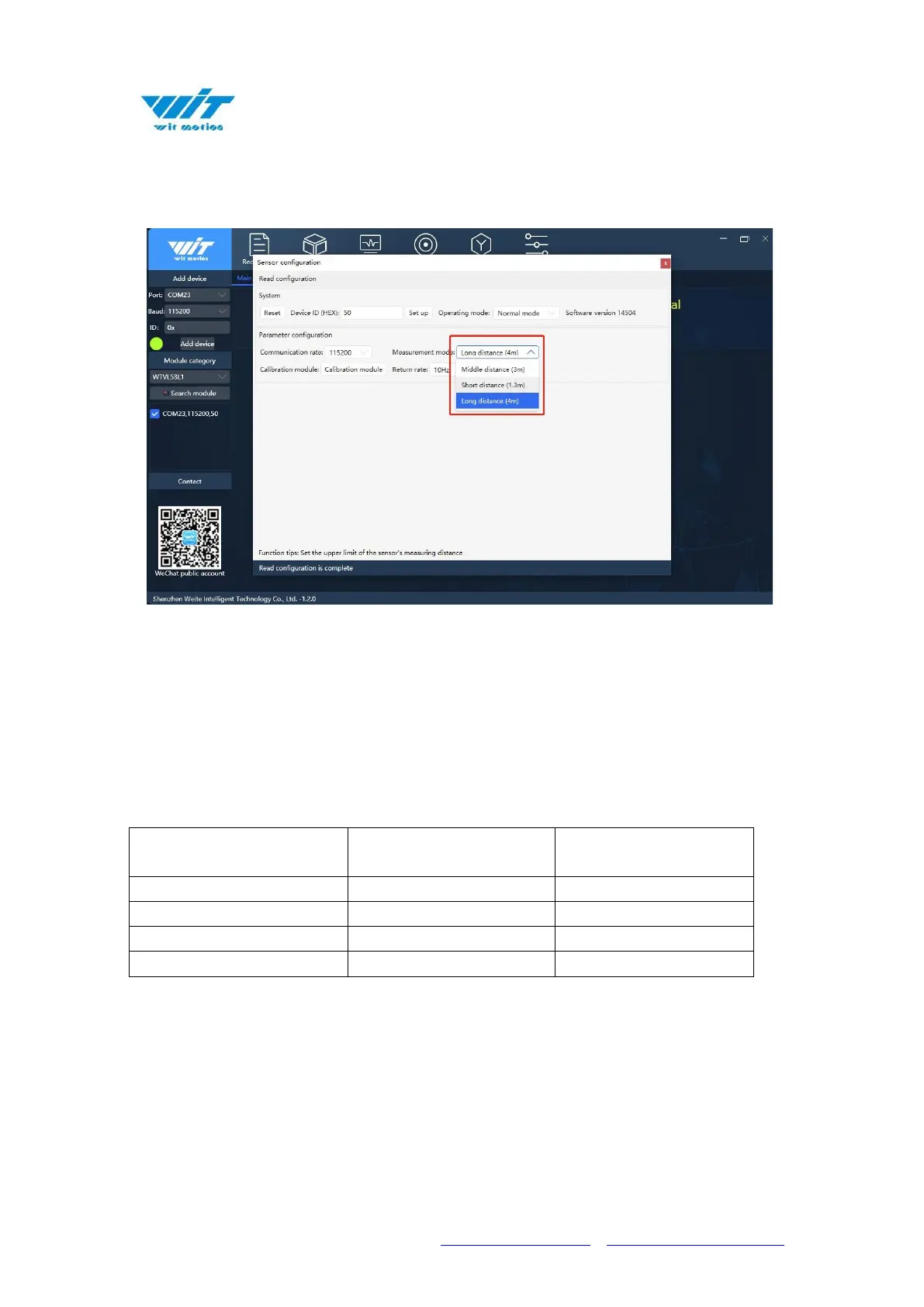
Click the drop-down box next to the measurement mode to select the
corresponding mode.
Note:
When changing the measurement mode, the host computer automatically
changes the setting values of the two registers, register 0x07 (timing preset
time) and register 0x08 (measurement interval) according to the mode
selection.
The setting values of the host computer are as follows:
Example of serial:
MODADDR 06 00 07 00 14 CRCH CRCL // Set register 7 to 20
Time delay100ms
MODADDR 06 00 08 00 01 CRCH CRCL // Set register 8 to 1
Time delay100ms
MODADDR 06 00 36 00 01 CRCH CRCL // Set to short-distance



 To Next Page