Personnel: • Operator
Prerequisites:
• The ChronoMaster is connected to the PC or tablet com-
puter.
• The “Chronoscope Service” display software has been
started.
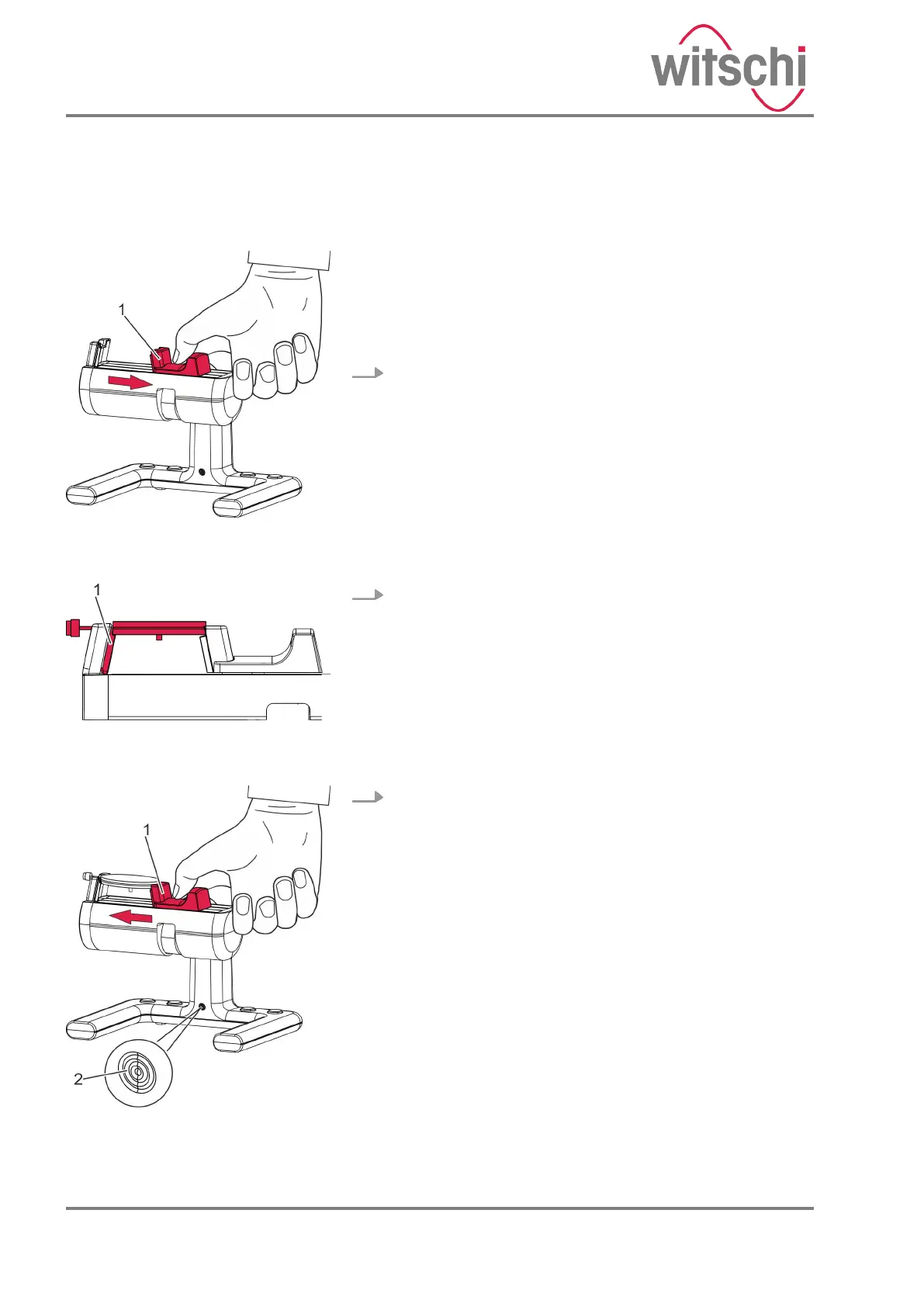
1. Pull the clamping jaw (Fig. 13/1) outwards and hold it.
2. Place the clockwork on the clamping area so that the
plate is positioned above the signal sensor (Fig. 14/1).
3. Carefully guide the clamping jaw (Fig. 15/1) to the clock-
work.
ð
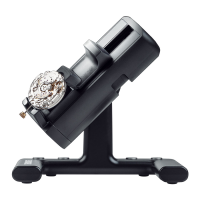
• The clockwork without housing is clamped.
• The LED on the ChronoMaster (Fig. 15/2) flashes at
the same frequency as the watch beats.
• The measuring process starts automatically
(Fig. 16).
Alternatively, the measurement can be started via the
“Restart” button in the display software.
Clamping the clockwork without
housing
Fig. 13: Tightening the clamping
jaws
Fig. 14: Clockwork clamped without
housing
Fig. 15: Releasing the clamping jaw
01.09.2020Precision measuring device ChronoMaster24


 To Next Page