5 Device transport and storage
5.1 Device shutdown
Prerequisite:
• The measurement has been completed.
1. Pull the clamping jaw outwards and hold it.
2. Remove the watch or watch movement from the micro-
phone.
3. Carefully release the clamping jaw.
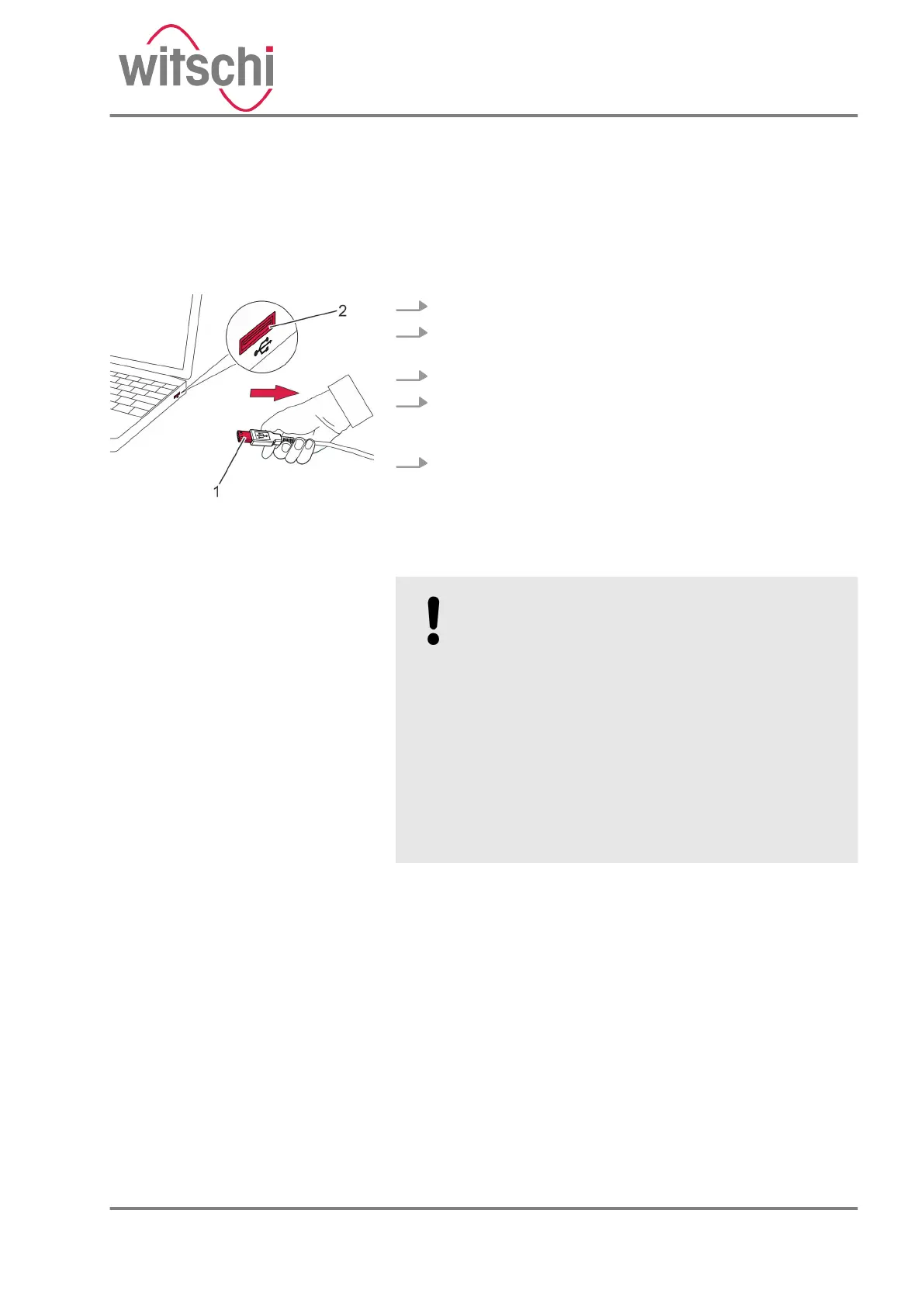
4. Disconnect the USB cable (Fig. 20/1) at the USB plug
from the USB port of the PC or tablet computer
(Fig. 20/2).
5. ChronoMaster Air only: move the slide switch to the
“OFF” position.
5.2 Device transport and storage
NOTICE!
Risk of material damage due to improper trans-
port!
In the event of improper transport, the device
may fall or topple. This can cause significant
material damage.
– Transport the device in its original packaging
only.
– Always transport packages upright and
never throw them.
– Only transport the device when it is shut
down.
– Transport the device with two hands only.
Fig. 20: Device shutdown
Improper transport
24.03.2021 Precision measuring device ChronoMaster / ChronoMaster Air 35



 To Next Page