Information in the software manual
Information on the measuring process and on
controlling the measurement is to be found in
the corresponding software manual.
4.3 Controlling the measurement using control keys
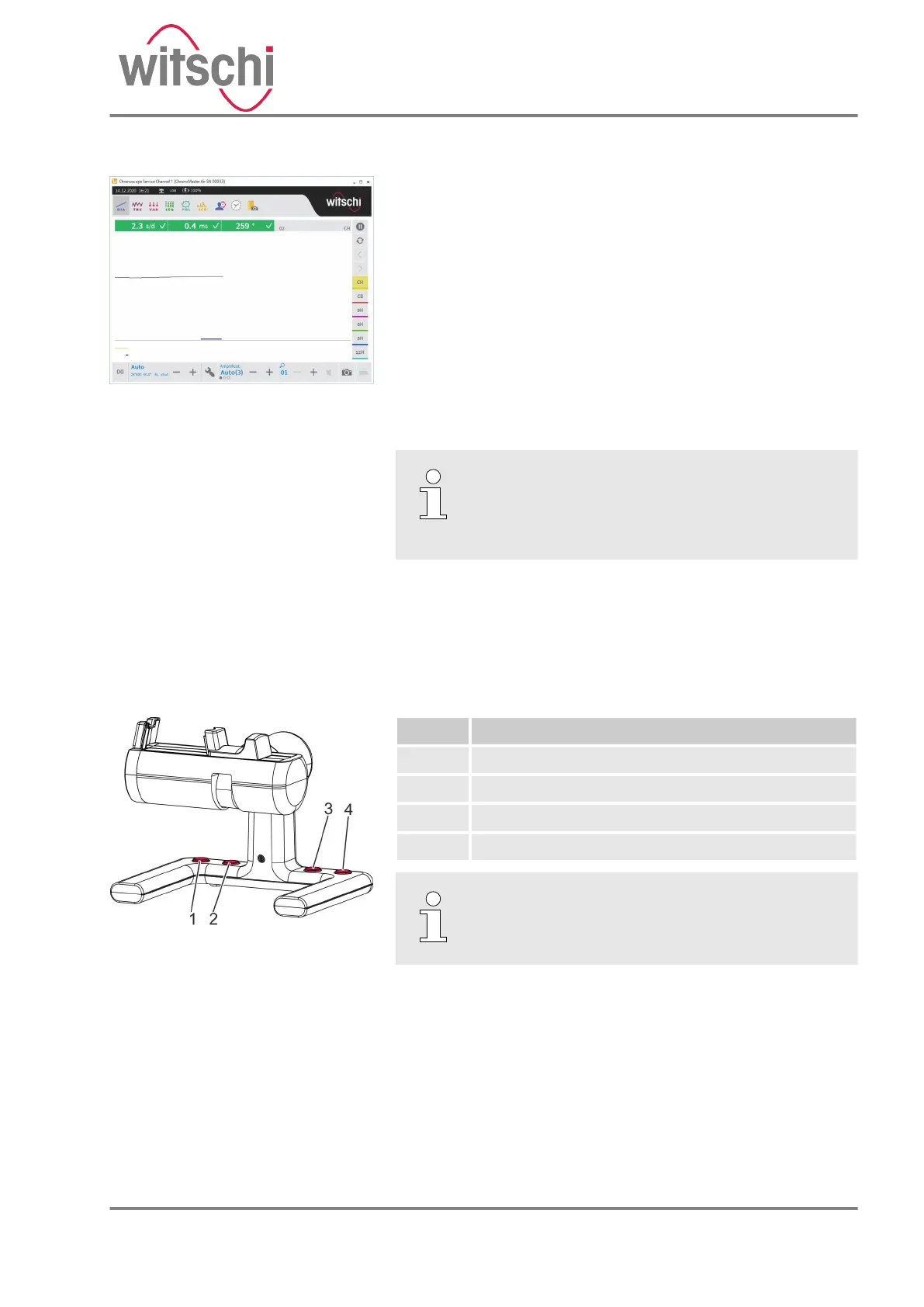
The device features 4 control keys (Fig. 19) that are used to
operate the software.
The following functions are assigned to the control keys:
No. Function
1 Program selection, select next lower program.
2 Program selection, select next higher program.
3 Restart current measurement.
4 Pause/continue current measurement.
Information in the software manual
Information on the individual functions can be
found in the corresponding software manual.
Fig. 18: The measuring process
starts automatically
Fig. 19: Control keys
24.03.2021 Precision measuring device ChronoMaster / ChronoMaster Air 33



 To Next Page