3.4 Connecting the device
Personnel:
n
Operator
Prerequisite:
• The “Chronoscope Service” display software is installed on
the PC or tablet computer.
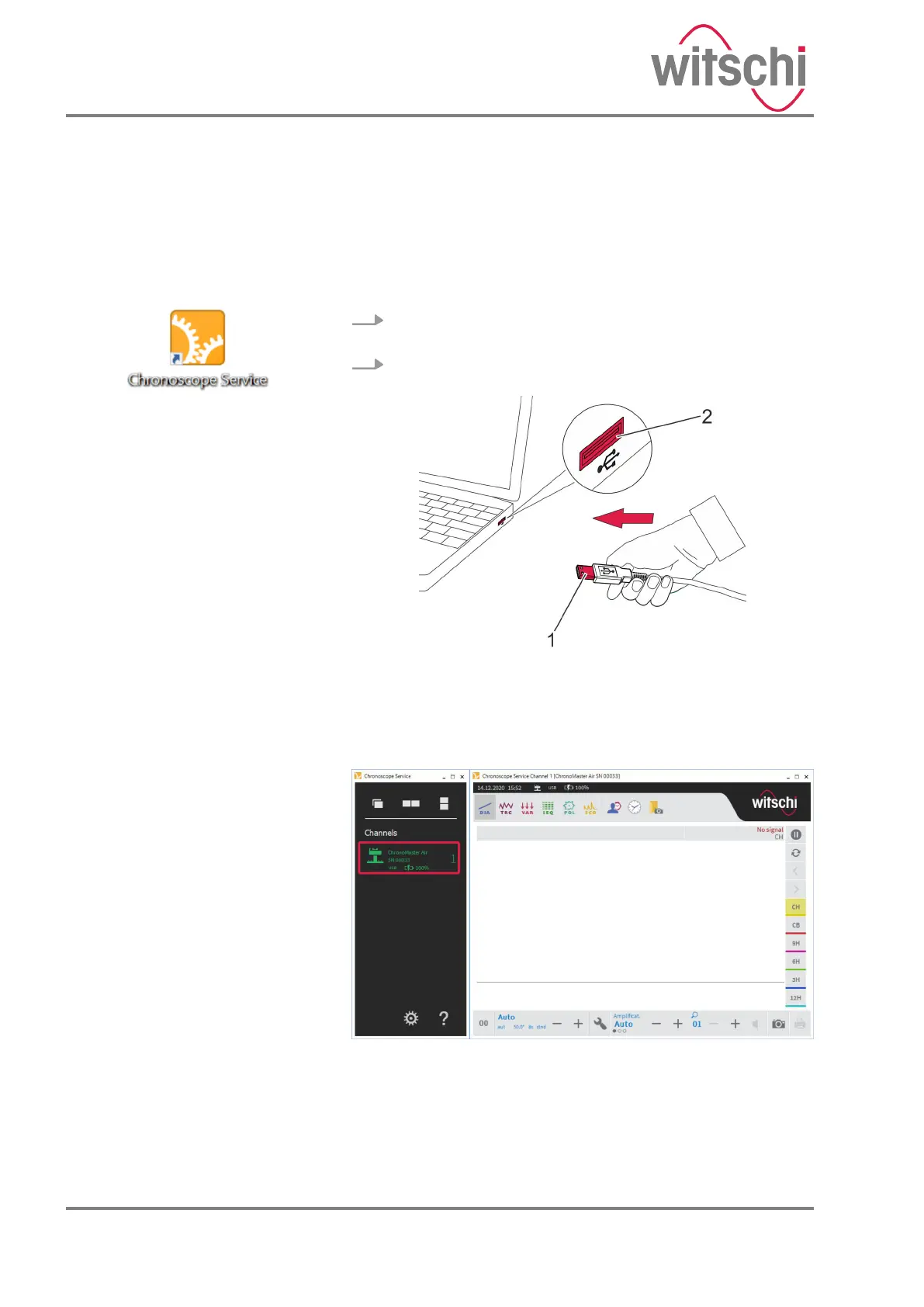
1. Start the “Chronoscope Service” display software on the
PC or tablet computer.
2. Plug the USB plug of the USB cable (Fig. 6/1) into the
USB port of the PC or tablet computer (Fig. 6/2).
Fig. 6: Connecting the device to the PC or laptop
ð
• The device is connected to the PC or tablet com-
puter.
• The device is identified by the display software and
executed there (Fig. 7).
Fig. 7: Identification of the device by the display software
Fig. 5: Starting “Chronoscope
Service”
24.03.2021Precision measuring device ChronoMaster / ChronoMaster Air24



 To Next Page