6
SmartCam
5 Operating/programming operation mode K1
5.1 Locking K1
1.
Close the door at the safe and enter any key.
Turn the knob within 3 seconds into locking position. The lock is closed.
5.2 Opening K1
5.2.1 Opening with user code K1
1. Enter your 4-/6-digit code e.g. user code.
3333
/
33
2.
Turn the knob within 3 seconds into opening position.
The lock is opened.
5.2.2 Opening with master code/administrator code K1
1.
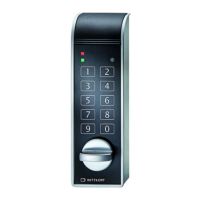
Press and hold the key “8“ for approx. 3 seconds.
When releasing the key the green LED lights up permanently.
8
2.
Enter your 6-digit master code e.g.
123456
3.
Turn the knob within 3 seconds into opening position.
The lock is opened.
• After a wrong code input a long signal tone occurs and the red LED flashes.
• After 4 consecutive wrong code inputs, a blocking time of 1 minute occurs. During this blocking time the red LED flashes
every 10 seconds. It is not possible to insert a code during the blocking time is active. After the blocking time expires the
red LED stops flashing. After the blocking time has passed 2 further incorrect inputs will restart the blocking time of 1 minute.
5.3 Programming a user code K1
The administrator is able to program a user code, but not vice versa.
All 9 users are assigned the PIN numbers 0-8.
1.
Press and hold the key “1“ for approx. 3 seconds.
When releasing the key the green LED lights up permanently.
1
2.
Enter your 6-digit administrator code e.g.
654321
3.
Enter the user PIN e.g. user 1.
1
4. Enter your 4-/6-digit user code e.g.
1111
/
11
5. Re-enter your 4-/6-digit user code e.g.
1111
/
11
6. The user code is accepted.


 To Next Page