8
SmartCam
5.7 Time delay and opening window K1
Only the administrator can program or delete the time delay. Only the master can open the lock when a time delay is programmed.
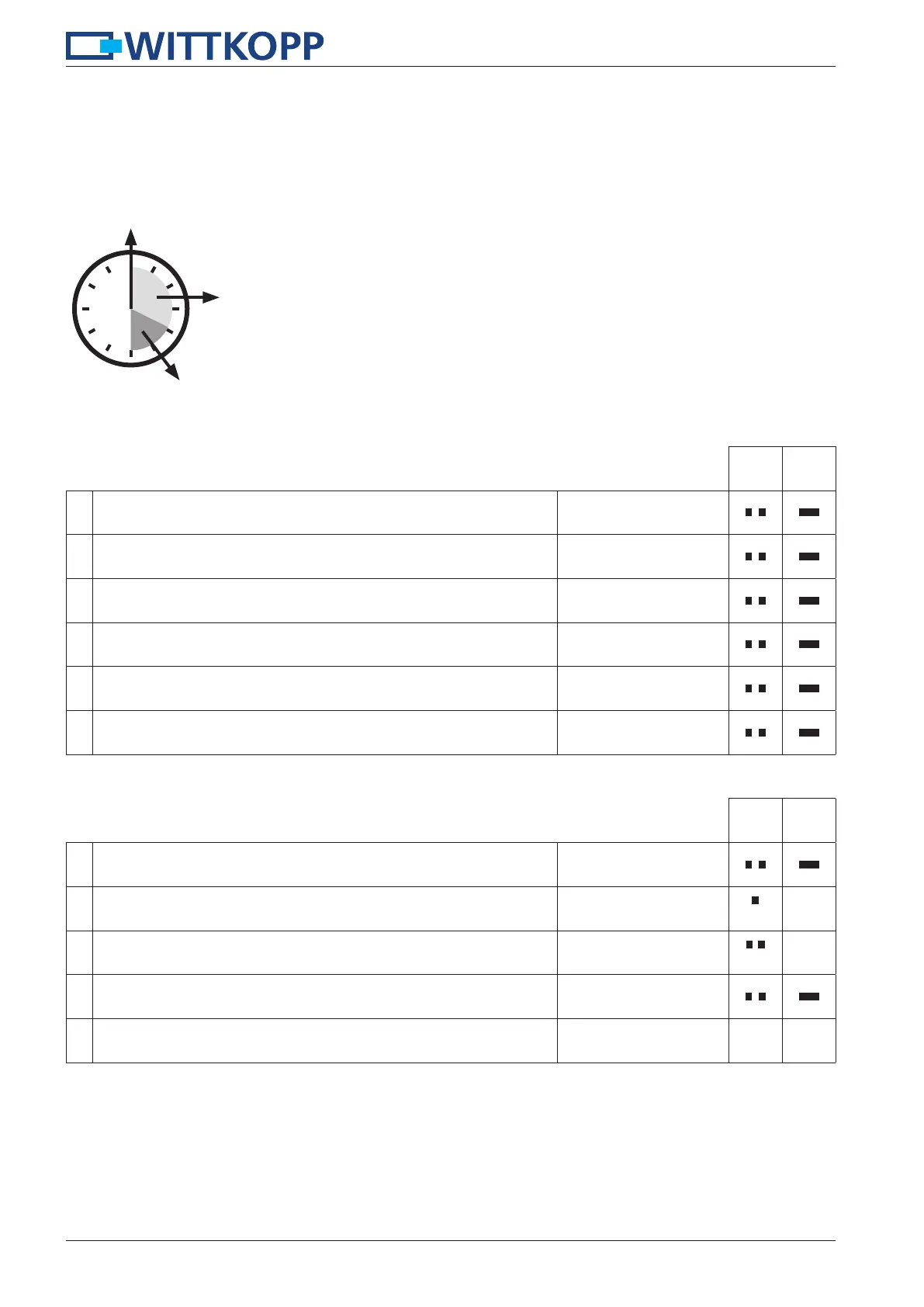
Time delay: 00 - 99 minutes - time to wait until the lock can be opened.
Opening window: 01 - 15 minutes - within this time window the master or the user can open the lock with his code.
Code input – beginning of the time delay
Wait during the time delay
Opening window – re-enter code
5.7.1 Adjusting the time delay and opening window K1
Adjusting the time delay and opening window is only possible when the lock is opened.
1.
Press and hold the key “9“ for approx. 3 seconds.
When releasing the key the green LED lights up permanently.
9
2.
Enter your 6-digit administrator code e.g.
654321
3.
Enter the time delay e.g. 20 minutes.
20
4.
Enter the opening window e.g. 10 minutes.
10
5.
Re-enter the time delay e.g. 20 minutes.
20
6.
Re-enter the opening window e.g. 10 minutes.
10
5.7.2 Opening with activated time delay and opening window K1
1. Enter your 4-/6-digit user code e.g.
3333
/
33
2.
Wait until the end of the time delay.
every 10s
3.
Opening window starts.
every 10s
4.
Re-enter your 4-/6-digit user code within the opening window e.g.
3333
/
33
5.
Turn the knob within 3 seconds into opening position.
The lock is opened.


 To Next Page