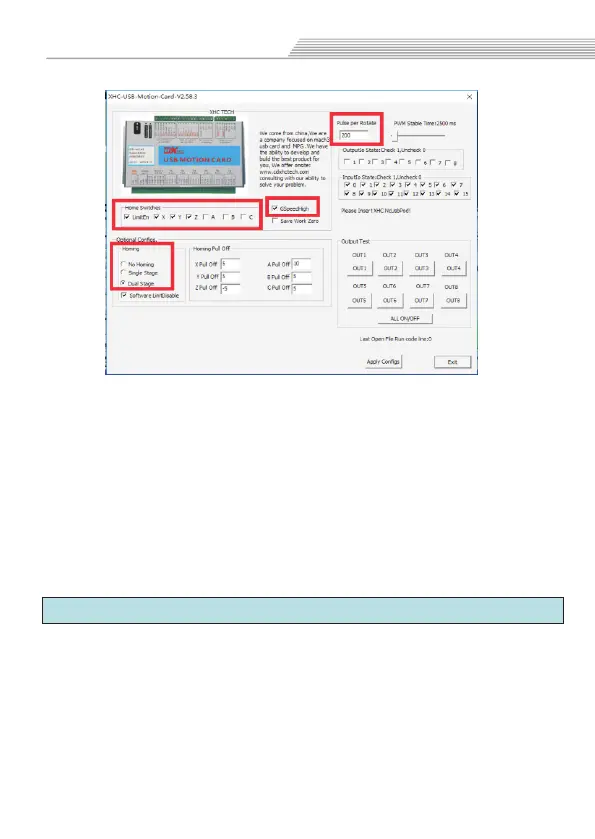
not go to machine origin
go to machine origin only once
go to machine origin twice
tick “LimitEn”enable,and tick X.Y.Z and
so on to allow it to have a limit function
Tick,Increase the arc running speed
Pulse per Rotate: if your spindle is driver control by Pulse/
Dir, you need set it up.
No Homing:
Single Stage:
Dual Stage:
Home Switches:
GSpeedHigh:
6.5 Z safety height
Open Mach3 software,select"Config">>“Safe Z setup”
option.
Tick"Allow safe Z move" enable;
tick "Safe Z DRO is in work coordinates" enable;
Fill in the “safe Z” height value;
Basic parameters
34



 To Next Page