If your A axis is the axis of rotation, and the
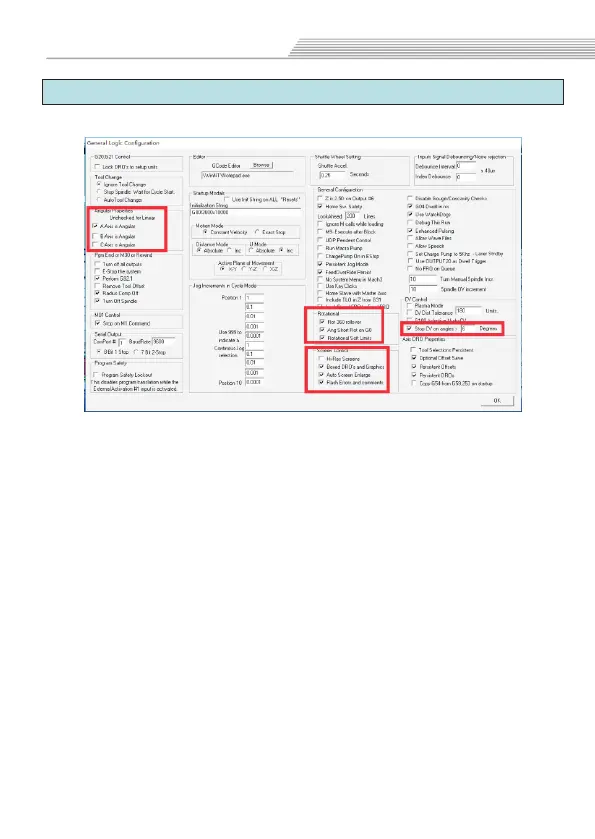
angle of rotation is 0-360 degrees.please tick it.
"Rot 360 rollover":
angle of rotation is 0-360 degrees.please tick it.
"Ang Shot Rot on G0": if you tick "Rot 360 rollover",Please
tick it too.Shortest path of circumferential motion.
If your arc is not good, it turns into a right angle or
a straight line, please modify the value of "Stop CV on angles",
and tick ti.Until you find a suitable value for you.
When you first open the software, the screen
is not full screen display, please tick "Hi-Res screens"and "Auto
screen enlarge",Save the settings and reopen the software.
A-Axis angular:
Rotational:
CV control:
Screen control:
If your A axis is the axis of rotation, the
6.7 General Config
Open Mach3 soft,select"Config">>" "optionGeneral Config
Basic parameters
36



 To Next Page