23
User Manual WMF9000 F VB
Operation | Switch on the coffee machine
3.2 Switch on the coffee machine
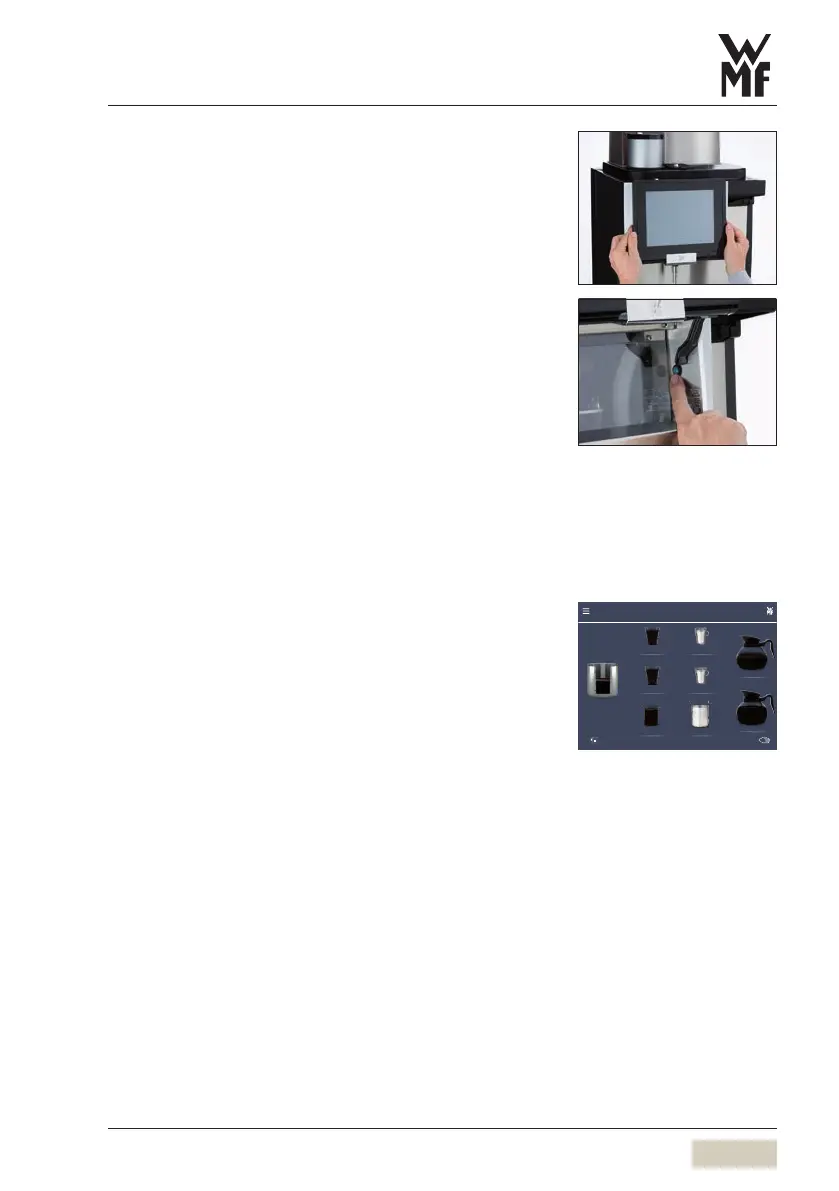
Slide the operating panel upward
The ON/OFF switch is on the right side, behind the
operating panel.
Press and hold the ON/OFF switch until asignal
sounds
Coffee machine switches on and heats up.
An automatic warm rinsing starts.
When the coffee machine is ready to dispense
beverages, the “Ready to operate” display appears.
The coffee machine can be switched on using
thetimer.
3.3 Beverage dispensing
Beverages are dispensed via the coffee spout on the
storage urn via the pot brewing arm or hot water
spout.
Touching the desired beverage button starts dispensing
of the set beverages.
• Lit up button = ready to dispense
• Unilluminated button = not ready to dispense/
button disabled
Place acontainer of the appropriate size beneath
the spout
Cancel beverage
Touch the desired beverage button again
PIN access control
w PIN rights
page 46
Set timer switching times
w Timer
page 49
Cup, large Hot water, large
Cup, large Hot water, large
Hot water Hot water, large
Storage urn
Contents
2.4 Litres
1 liter brewing
2 liter brewing
9000F.
Button layout
w Operating options
page 42
Cancel beverage
w Operating options
page 42



 To Next Page