Electronics
24” E Series Oven (SO24)
2-5
#826752 - Revision A - June, 2016
Diagnostic Mode
Diagnostic Mode shows error information, operating information, and version information. All error codes appear on
the display when they occur in the oven.
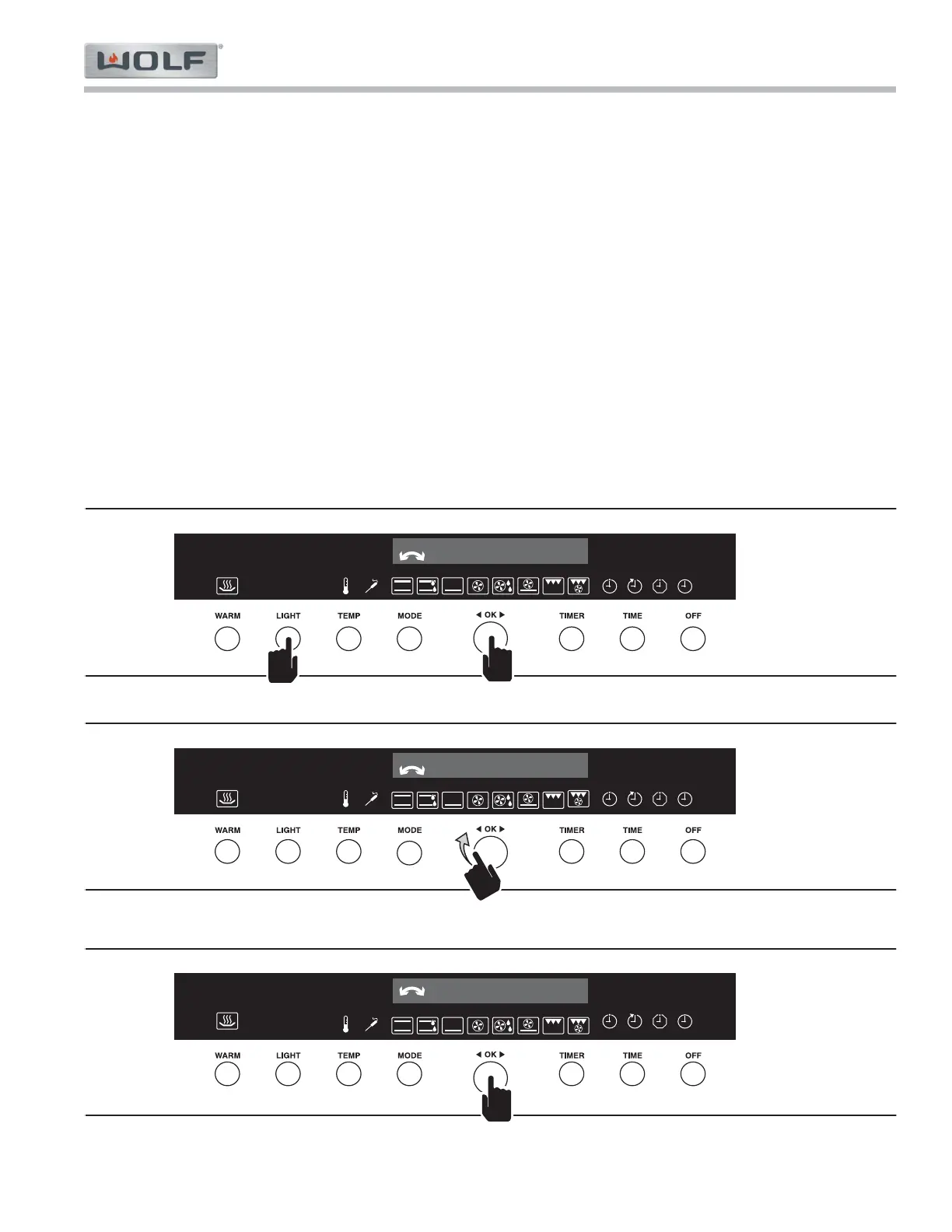
To enter Diagnostic Mode, the oven must be off, with only the time displayed, or in error mode, with an error mes-
sage displayed.
Press and hold in order, Light and OK knob for ten seconds. Diagnostic Mode - Error history appears1.
in the display. (See Figure 2-6).
Rotate the OK knob to toggle through the diagnostic menu. (See Figure 2-7).2.
Error historya.
Error counterb.
Clear history/counterc.
Operating hours counterd.
Event countere.
Version numbersf.
Press the OK knob to select the desired diagnostic menu item. 3.
Turn or press the OK knob in the sub-menu to perform the task.4.
Press the Off button at anytime to exit Diagnostic Mode. Diagnostic mode turns off automatically after5.
one hour.



 To Next Page