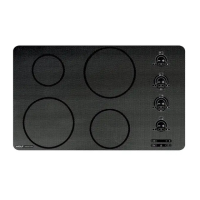
Induction Cooktop
Electronic Control
3-9
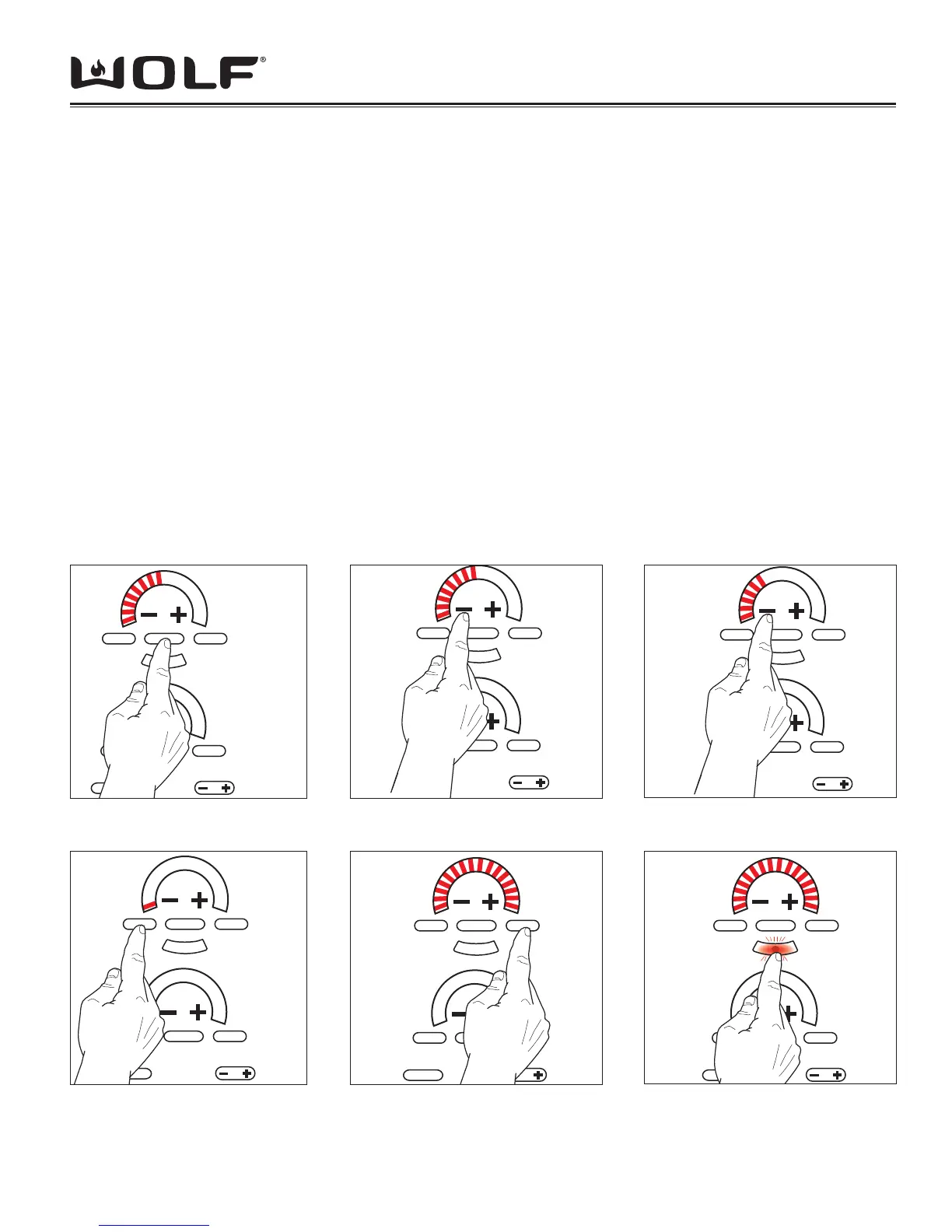
Operation Mode: Touch the “OFF ON” pad to enable the corresponding element. The left side eight LED’s of the
Power Level Indicator light up and blink on the corresponding Control Zone. (See Figure 3-9)
After the “OFF ON” pad is touched, the following touch pads are valid for the corresponding Control Zone.
1. Touching “-” activates 8 Power Level Indicator - LEDs with a power level equivalent to 5. Touching and holding the
“-” pad will lower the power level by 1 for every .5 seconds the pad is depressed. (See Figure 3-10 & 3-11)
2. Touching “+” activates 8 Power Level Indicator - LEDs with a power level equivalent to 5. Touching and holding the
“+” pad will raise the power level by 1 for every .5 seconds the pad is depressed.
NOTE: 2 LED’s = 1 level in some cases.
3. Touching “SIM” activates 1 Power Level Indicator-LED with a power level equivalent to 1. (See Figure 3-12)
4. Touching “MELT” activates 1 Power Level Indicator-LED with a power level equivalent to 1.
5. Touching “HIGH” activates 16 Power Level Indicator - LEDs with a power level equivalent to 10. (See Figure 3-13)
6. Touching “HI POWER” pad activates the power boost LED in addition to the 16 Power Level Indicator-LED’s. (See
Figure 3-14)
NOTE: If any other key not within the respective Control Zone is touched, or if no other keypad is activated within 10
seconds, the control shall return to the previous state before the last “OFF ON” keypad was initiated.
NOTE: If the Control Zone is activated within 10 seconds with no pan on the Control Zone for more than 30 seconds
after this activation, the keyboard turns off the Power Level Indicator-LED’s and begins to initiate Idle Mode or the
previous state of operation. During these 30 seconds of no pan detection, the selected Power Level Indicator- LED’s
fl ash at ½ sec. on and ½ sec. off.
MELT
OFF ON
CLEAR
HIGH
OFF ON HIGH
888
SIM
H
I
P
O
W
E
R
MELT
OFF ON
CLEAR
HIGH
OFF ON HIGH
888
SIM
H
I
P
O
W
E
R
MELT
OFF ON
CLEAR
HIGH
OFF ON HIGH
888
SIM
H
I
P
O
W
E
R
Figure 3-9 Element On Figure 3-10 Press “-”
Figure 3-11 Press and Hold “-”
MELT
OFF ON
CLEAR
HIGH
OFF ON HIGH
888
SIM
H
I
P
O
W
E
R
MELT
OFF ON
CLEAR
HIGH
OFF ON HIGH
888
SIM
H
I
P
O
W
E
R
MELT
OFF ON
CLEAR
HIGH
OFF ON HIGH
888
SIM
H
I
P
O
W
E
R
Figure 3-12 Press “SIM” Figure 3-13 Press “HIGH”
Figure 3-14 Press “HI POWER”


 To Next Page