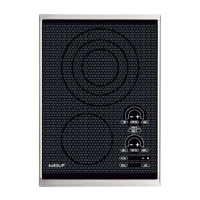
Induction Cooktop
Troubleshooting Guide
5-6
Error
Priority
Displayed
Error #
Error
Condition
Notes Possible Source(s) of Failure
/ Action Required
1 No
Indicator
Power loss The control will turn off the display and
shut off the burners.
N/A
1 E1 Ambient
temperature is
too high
If the ambient temperature exceeds the
error temperature limit, the cooktop will
enter the Lock Mode until the ambient
temperature falls within acceptable
temperature limits.
1. Insuffi cient venting.
Action: Verify air fl ow is not
resticted and verify ambient/
control temp. using test #3
2. Fan failure
Action: Run cooling fan test #2
3. Faulty fan connection
Action: Check (J6) connection
4. Com Board failure
Action: Change Com Board
2 E2 Generator 1:
Heatsink
temperature is
too high.
The burners will be unavailable to the user
until the heatsink temperature falls below
the 90C limit.
1. Ambient temp. too high
causing the generator heatsink
sensor to alert control.
Action: Remove/Reduce
external heat source.
2. Induction generator failure.
Action: Verify heatsink temp.
test #4.
2. Bad generator board.
Action: Change generator
board.
2 E3 Generator 2:
Heatsink
temperature is
too high.
2 E4 Generator 3:
Heatsink
temperature is
too high.
1 E5 Open ambient
thermistor
The cooktop will enter the Lock Mode and
display the error code.
An open sensor error will not be recorded
until 5 minutes of consecutive open sensor
readings and during burner activation only.
Com Board failure.
Action: Change Com Board
1 E6 Shorted
ambient
thermistor
If the A/D value exceeds the error A/D limit,
the cooktop will enter the Lock Mode and
display the error code in the timer display.
Com Board failure.
Action: Change Com Board
1 E7 Diode
Confi guration
Error
The cooktop keyboard shows the incorrect
diode confi guration.
1. Faulty cable connection.
Action: Check (J4) connection
2. Keyboard failure.
Action: Change Glass Assy.
3. Com board failure.
Action: Change Com Board


 To Next Page