Cooling
20
Controller alarm output & fault signals
If the cellar temperature is outside the acceptable range of -1 or +2°C from the set point temperature for 30 minutes, the alarm
will be initiated. The alarm will automatically reset once the cellar temperature is back within this acceptable control band. A 12
vdc relay can be connected between the Alarm signal and the ‘+12 vdc’ connections on the top 6-way connector to energise alarm
sirens and/or lamps. The relay-operating coil must be rated at 12 vdc with a maximum current of 50mA.
If either the air or defrost sensor fails, the display will flash a fault signal alternating with the cellar temperature.
The signal will latch and will not reset until the power is reset. Fault signals are: -
• P1/OC = Air sensor Open Circuit,
• P1/SC = Air sensor Short Circuit,
• P2/OC = Defrost sensor Open Circuit,
• P2/SC = Defrost sensor Short Circuit,
If a defrost sensor fault occurs, the setpoint will be limited to a minimum of 8°C until the fault is resolved, even if it has been set
lower. If an air sensor fault occurs, the heating and cooling functions are disabled.
Evaporator energy saving
The BMIEP controller, when supplied, is set to energy saving mode. This means that the controller is set to run only the first fan
when off cycle or in heating mode. As a result, this significantly reduces energy consumption (where there are multiple fans). In
order for the controller to allow multiple fans to run in the off cycle mode, energy saving mode must be disabled.
NOTE: This will increase energy consumption
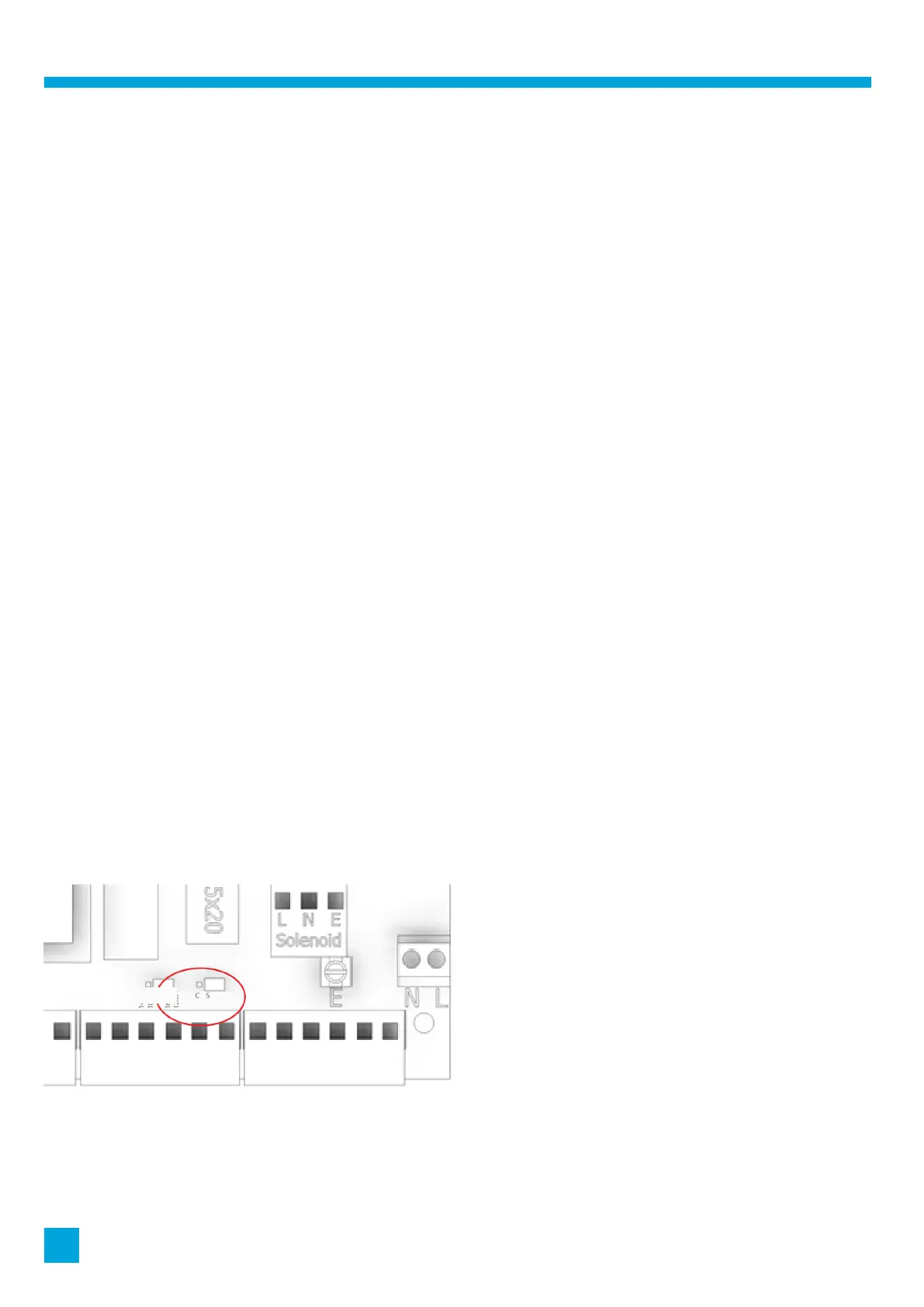
Energy saving mode is enabled/disabled by moving the relevant jumper between ‘S’ and ‘C’ options, as below.
• Having the jumper in the S position (right-hand position) means that energy saving is enabled
• Having the jumper in the C position (left-hand position) means that energy saving is disabled
Note: Energy saving mode should not be used in conjunction with off cycle defrost
The controller can be set to have both fans running in the off-cycle mode if required by following the steps below to disable
energy saving mode.
• Turn off and isolate the power to the BMIEP unit.
• Remove the front cover from the control’s facia.
• Find the small jumper labelled C and S. It is located to the left of the earth screw, as per the diagram below.
• Move the jumper to the left-hand two pins marked ‘C’.
• Replace the front cover of the control’s facia.
Please note that these modes are only applicable on units with multiple fans. If the unit only has one fan, changing the jumper
between S and C settings will not impact operation or the energy consumption.
1400
1000
1600
1200



 To Next Page