DEMO SONGS. CONTROL & EFFECTDEMO SONGS. CONTROL & EFFECT
DEMO DUAL
REVERB
TOUCH CHORUS
HARMONY
PERCUSSION
CHORD SYNC STOP
SYNC
START
START/STOP INTRO
MAIN A MAIN B
ENDING
CHOOSE & PLAYCHOOSE & PLAY
DEMO SONGS. CONTROL & EFFECTDEMO SONGS. CONTROL & EFFECT
DEMO DUAL
REVERB
TOUCH CHORUS
HARMONY
PERCUSSION
CHORD SYNC STOP
SYNC
START
START/STOP INTRO
MAIN A MAIN B
ENDING
CHOOSE & PLAYCHOOSE & PLAY
DEMO SONGS. CONTROL & EFFECTDEMO SONGS. CONTROL & EFFECT
DEMO DUAL
REVERB
TOUCH CHORUS
HARMONY
PERCUSSION
CHORD SYNC STOP
SYNC
START
START/STOP INTRO
MAIN A MAIN B
ENDING
CHOOSE & PLAYCHOOSE & PLAY
15
Turn on the auto accompaniment
Press the [CHORD] button to enable (turn on) the auto accompaniment.
Start the accompaniment
You can do this in one of the following ways:
Press the [START / STOP] button
The rhythm starts playing immediately without bass and chord accompaniment.
The currently selected Main A / B section will play.
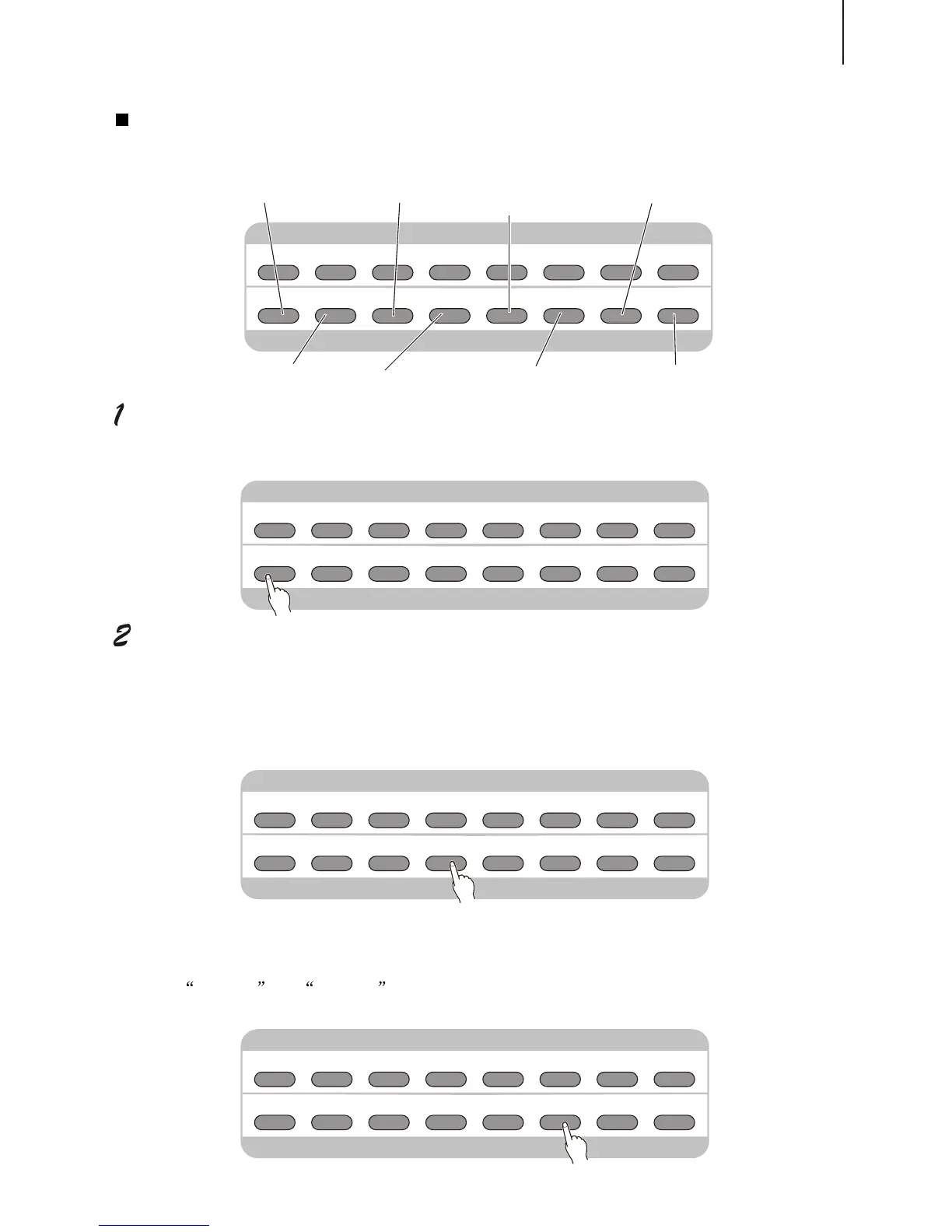
Playing the Accompaniment
The panel buttons below function as accompaniment controls.
You can select the Main A / B section by pressing the appropriate button[MAIN A/B]before
pressing the [START / STOP] button.(The display briefly shows the letter of the selected
section: MAIN A or MAIN B .)
DEMO SONGS. CONTROL & EFFECTDEMO SONGS. CONTROL & EFFECT
DEMO DUAL
REVERB
TOUCH CHORUS
HARMONY
MINUS
CHANNEL
PERCUSSION
CHORD SYNC STOP
SYNC
START
START/STOP INTRO
MAIN A MAIN B
ENDING
CHOOSE & PLAYCHOOSE & PLAY
This button turns on / off
bass and chord accompaniment.
This button turns on / off
Sync Start function.
This button controls the
Intro section.
Press this button to call up
Main B, and automatically add
a fill-in before the change.
MINUS
CHANNEL
MINUS
CHANNEL
MINUS
CHANNEL
This button controls the
Ending section.
Press this button to call up
Main A, and automatically add
a fill-in before the change.
This button turns on / off
Sync Stopt function.
This button turns on / off
the accompaniment.



 To Next Page