20
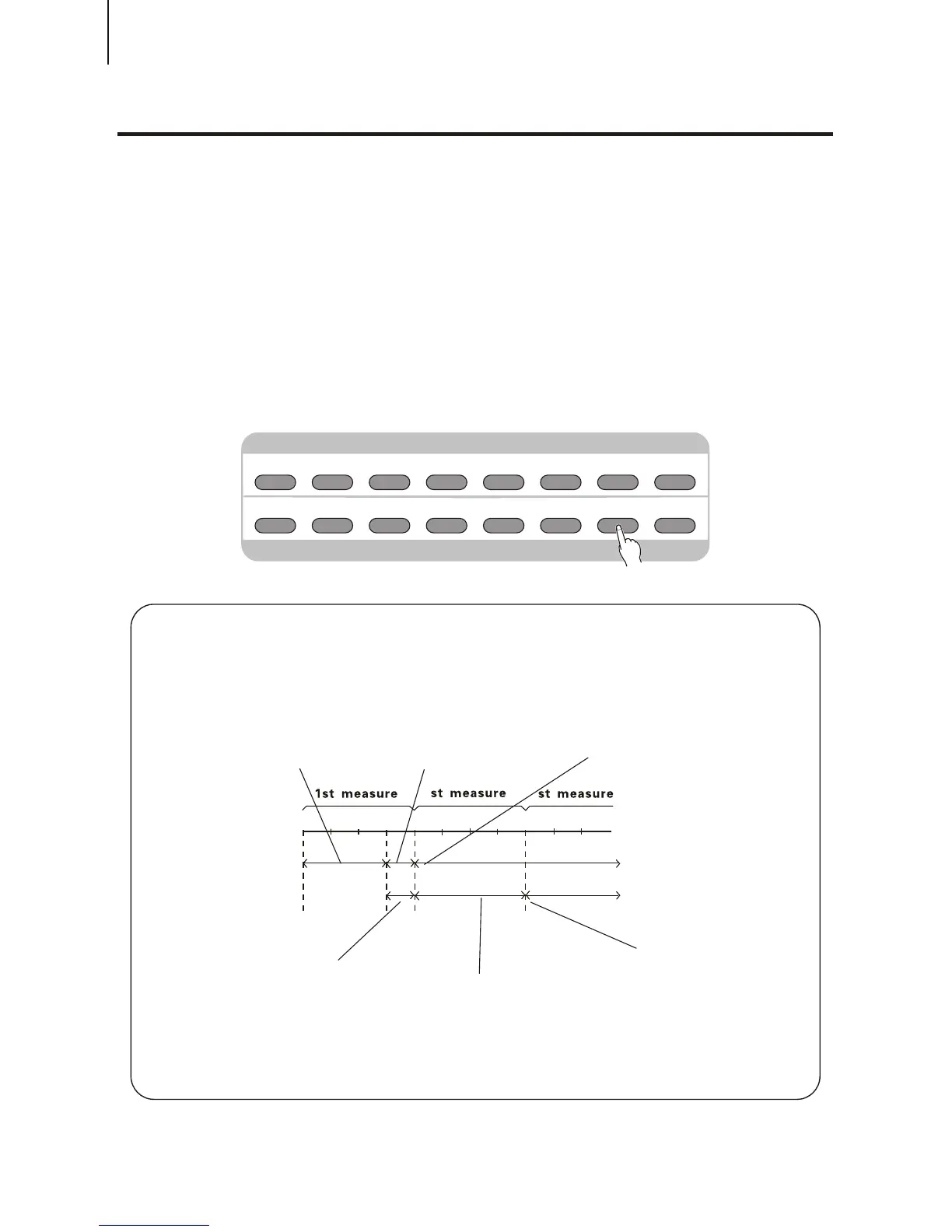
While the accompaniment is playing, you can add variation in the rhythm / accompaniment by
pressing the [MAIN / AUTO FULL] button. This switches between the Main A and Main B
sections, automatically playing a fill-in pattern to smoothly lead into the next section. For
example, if the Main A section is currently playing, pressing this button automatically plays a
fill-in pattern, followed by the Main B section. (See illustration on this page) If you do not want
to change to the Main B after a fill-in is being played, just press [MAIN A] right after pressing
[MAIN B], then you can enjoy Main A again.
You can also select either the Main A or B section to start by pressing the [MAIN / AUTO FILL]
button before starting the style.
Accompaniment Sections (Main A / B and Fill-ins)Accompaniment Sections (Main A / B and Fill-ins)
About the Fill-in Patterns
12341234123
2
3
If you press the [MAIN/
AUTO FILL] button before
beat 4...
...A fill-in pattern plays
immediately until the
end of the measure...
And the Main A / B section
plays here.
If you press the [MAIN /
AUTO FILL] button here,
after beat 4...
A fill-in pattern plays
from here...
And the Main A / B section
begins here...
DEMO SONGS. CONTROL & EFFECTDEMO SONGS. CONTROL & EFFECT
DEMO DUAL
REVERB
TOUCH CHORUS
HARMONY
PERCUSSION
CHORD SYNC STOP
SYNC
START
START/STOP INTRO
MAIN A MAIN B
ENDING
CHOOSE & PLAYCHOOSE & PLAY
MINUS
CHANNEL



 To Next Page