DEMO SONGS. CONTROL & EFFECTDEMO SONGS. CONTROL & EFFECT
DEMO DUAL
REVERB
TOUCH CHORUS
HARMONY
PERCUSSION
CHORD SYNC STOP
SYNC
START
START/STOP INTRO
MAIN A MAIN B
ENDING
CHOOSE & PLAYCHOOSE & PLAY
DEMO SONGS. CONTROL & EFFECTDEMO SONGS. CONTROL & EFFECT
DEMO DUAL
REVERB
TOUCH CHORUS
HARMONY
PERCUSSION
CHORD SYNC STOP
SYNC
START
START/STOP INTRO
MAIN A MAIN B
ENDING
CHOOSE & PLAYCHOOSE & PLAY
DEMO SONGS. CONTROL & EFFECTDEMO SONGS. CONTROL & EFFECT
DEMO DUAL
REVERB
TOUCH CHORUS
HARMONY
PERCUSSION
CHORD SYNC STOP
SYNC
START
START/STOP INTRO
MAIN A MAIN B
ENDING
CHOOSE & PLAYCHOOSE & PLAY
31
This convenient A-B Repeat function is an ideal aid for practicing and learning. It allows you
to specify a phrase of a song (from A point to B point), and repeat it while yourself practice or
play along with it.
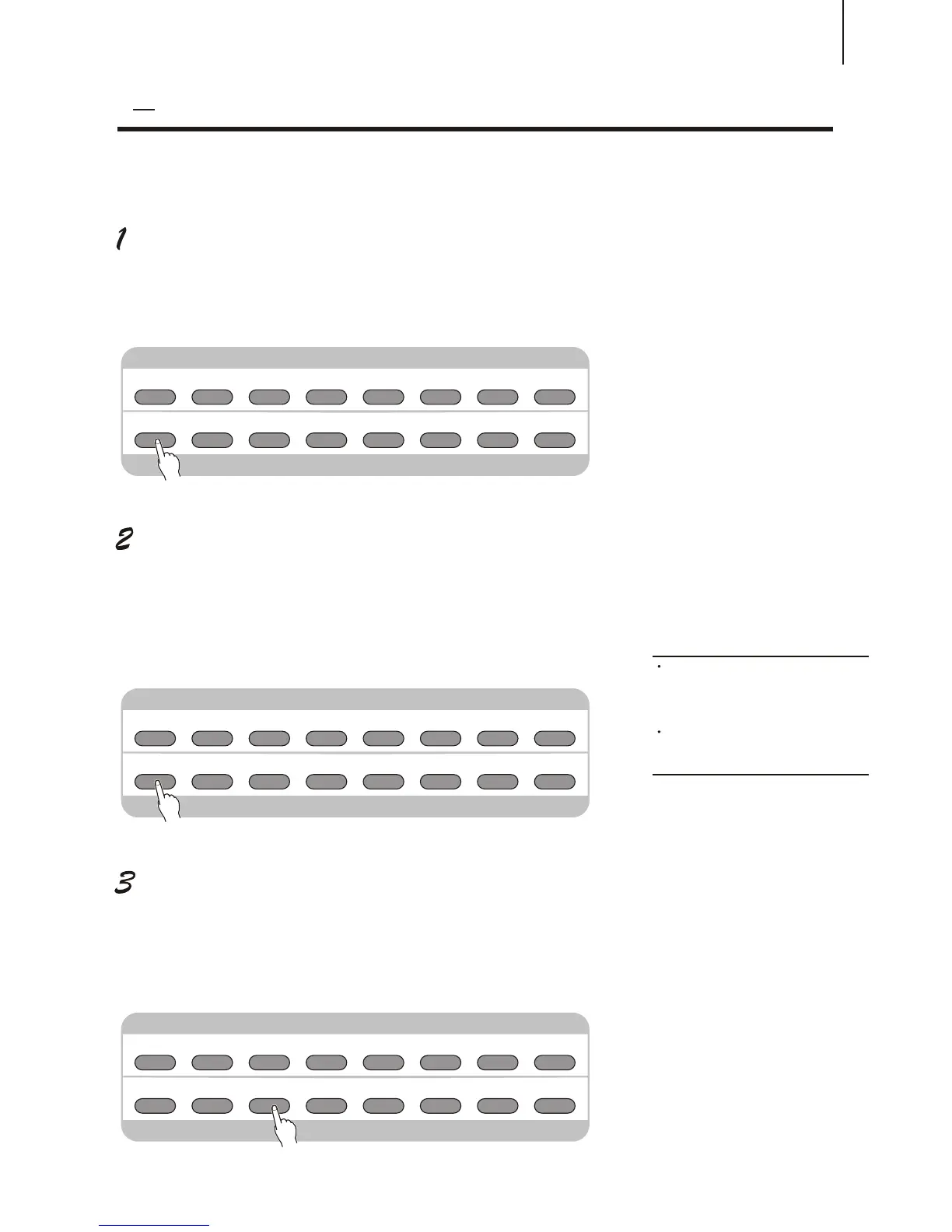
Set point A (the start point) while playing a song.
During the playback, press the [A-B REPEAT] button once, at the beginning point to be
repeated.
¡£
Set point B (the end point).
While the song continues playing, press the [A-B repeat]
button once again, at the place you want it to stop repeating.
Thus, the selected phrase repeats indefinitely until stopped.
Pause or stop playback as needed.
Just use [PAUSE] or [START / STOP] button. Stopping playback does not cancel the set
A / B point or the A-B Repeat function.
A B REPEATA B REPEAT
NOTE:
The A and B points can only be
specified at the beginning of a measure
(beat 1), and not at any point in the
middle of a measure.
To set the A point to the beginning of
a song, press the [A-B REPEAT] button
before starting playback.
MINUS
CHANNEL
MINUS
CHANNEL
MINUS
CHANNEL



 To Next Page