ACMP
FREEZE
REGISTRATION
MEMORY
BANK
REGISTRATION MEMORYREGISTRATION MEMORY
SONG
NUMBER
RECORD
SONG MEMORYSONG MEMORY
METRONOME
ACMP
SPLIT
ACMP
TRACK
CLEAR
4
ACMP
FREEZE
REGISTRATION
MEMORY
BANK
REGISTRATION MEMORYREGISTRATION MEMORY
SONG
NUMBER
RECORD
SONG MEMORYSONG MEMORY
METRONOME
ACMP
SPLIT
ACMP
TRACK
CLEAR
4
28
The Song Clear operation completely erases all the recorded data on all tracks of a selected
User song. Use this operation only when you are sure you want to erase a song and record a
new one. To erase an individual track of a song while leaving the other tracks intact, use the
Track Clear operation.
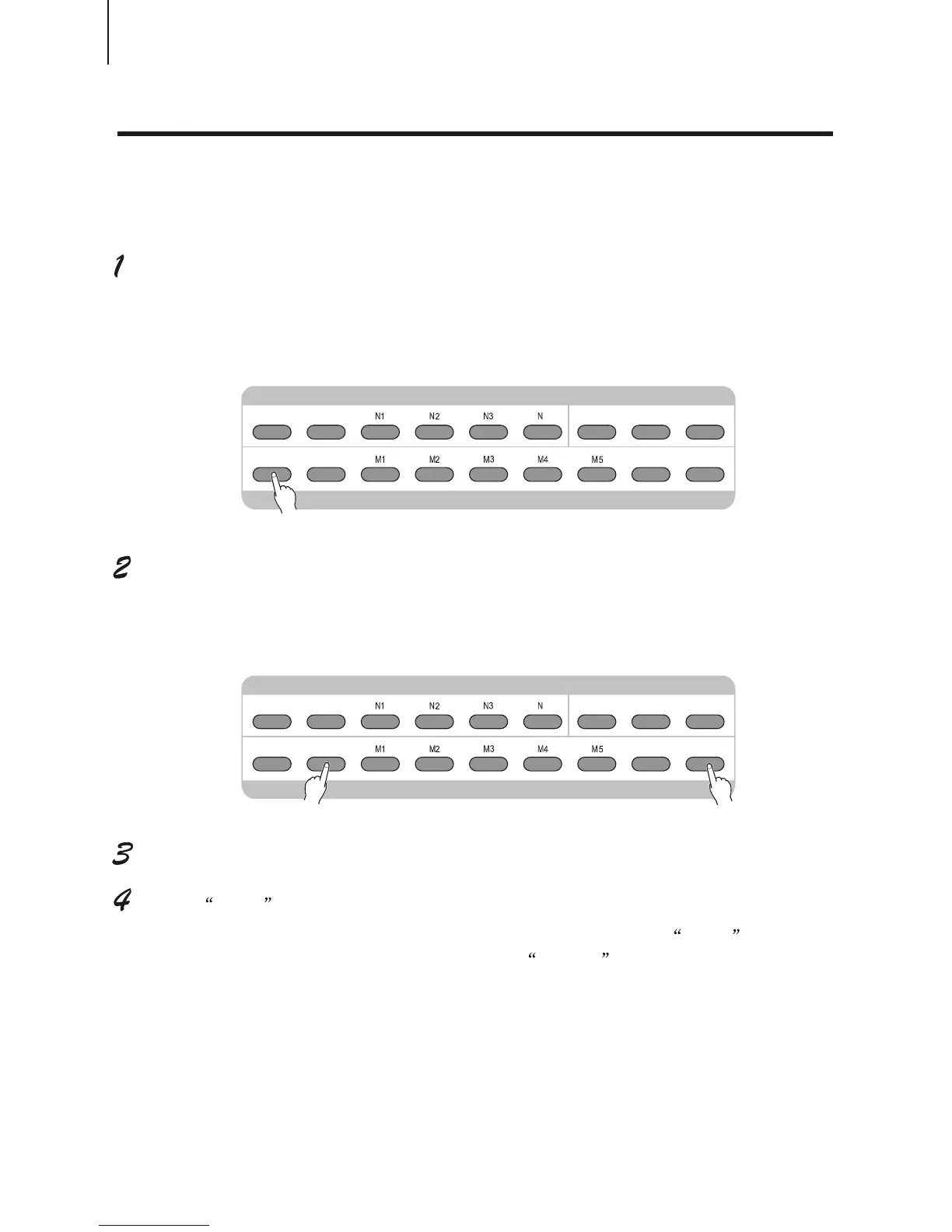
Select the desired song.
Press the [SONG NO] button, and then use [+ / YES] or [- / NO] button to select the
desired song (between No.1 to No.5).
While holding down the [RECORD] button, press Song Memory buttons.
All track indications in the LCD flash, indicating that all tracks are to be erased.
Press [+ / YES] button.
At the Sure? prompt, press the [+ / yes] button, or press the [- / NO] button to abort.
Press the [+ / YES] button is to clear the desired song. LCD shows Sure?
Again press the [+ / YES] button and LCD says, Cleared .
Press button [- / NO] is to cancel the operation.
SONG CLEARSONG CLEAR



 To Next Page