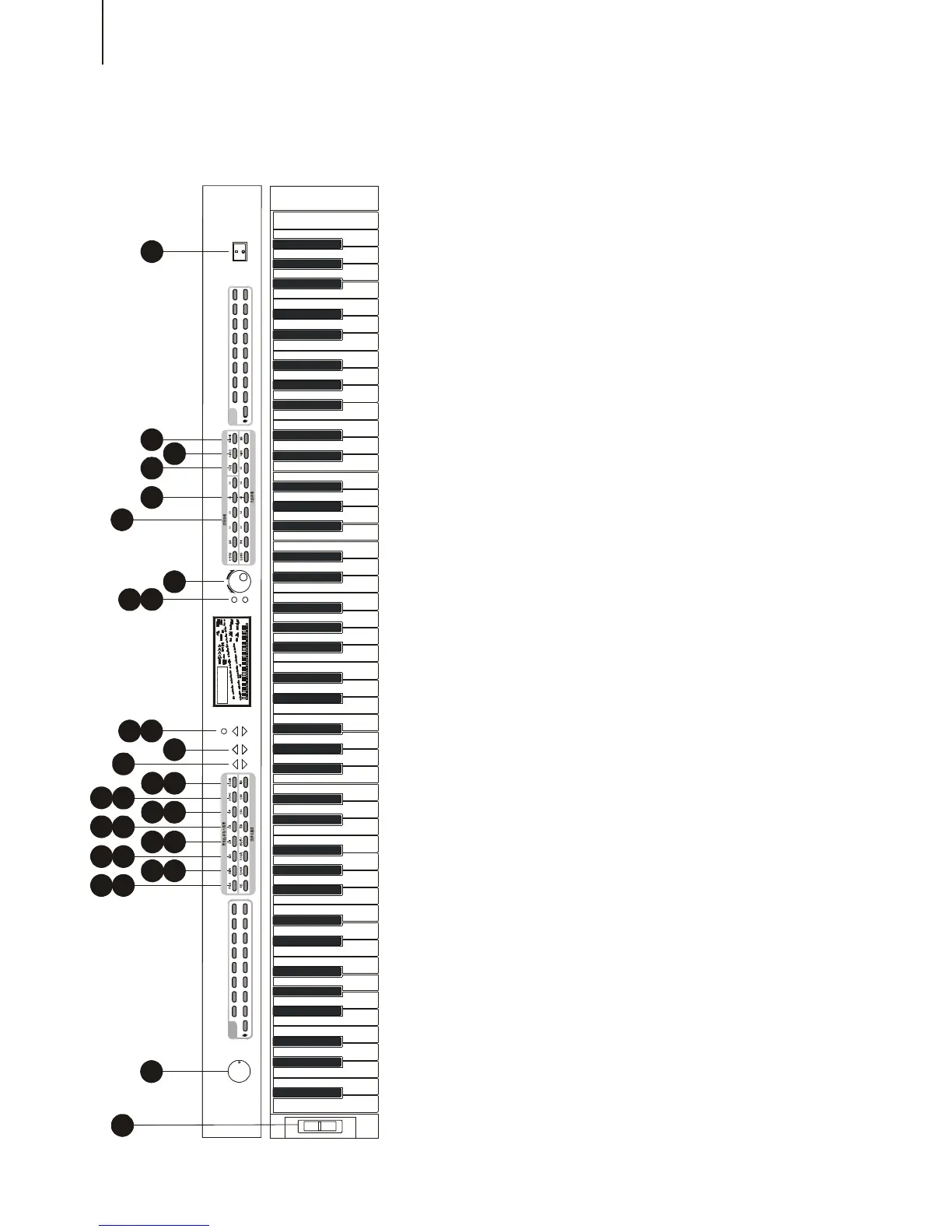
PANEL CONTROLS AND TERMINALS
6
31
2
23
8
22
20
4
7
19
21
13
6
14
24
26
11
9
18
25
15
10
17
27
16
12
3
30
28
29
5
12
Front Panel
1.Power switch (STAND BY / ON)
2.[MASTER VOLUME] dial
This determines the overall volume of the
W8808A.
3.[VOICE] buttons
These are used to select the various
voices of the W8808A. (See P.10)
4.[DUAL ]button
It is to turn on / off the Dual voice. (See P.
11)
5.[SUSTAIN] button
This turns on / off the Sustain function.
(See. P. 12)
6.[REVERB] button
It is to turn on / off the reverberation. (See
P.12)
7.[TOUCH] button
This turns the Touch function on and off.
(See P.12)
8. [CHORUS] button
It is to turn on / off the Chorus function.
(See P.12)
9.[HARMONY] button
This turns on / off the Harmony function.
(See P.13)
10.[Minus Channel] button
It is to control the Channel of the keyboard.
(See P.13)
11.[PERCUSSION] button
This turns on / off the percussion. (See
P.23)
12.[SEARCH] dial
This is to search the function of [+ / -]
button. (See P.11)
13.[DEMO] button
This turn on / off the demonstration
function. (See P.10)
14. [ACMP VOLUME] button
It is to control the volume of the
accompaniment. (See P.14)
15.[TEMPO] button
It is to control the tempo of the
accompaniment and the demonstration
songs. (See P.14)
16.[STYLE] button
It is to decide the accompaniment style
of W8808A. (See P.14)
17.[FUNCTION] button
It is to select the function pattern. (Each
press comes with a different function
pattern). (See P.11)



 To Next Page