10
PLAY WITH CHiP™ - CHiP SMARTBALL™
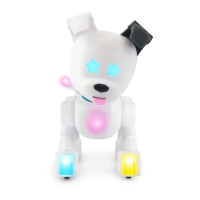
CHiP™ loves his accessories, and you don’t need the app to enjoy using them to play with him! He can
respond to his CHiP SmartBall™ and to commands sent from the CHiP SmartBand™, when they are in range
and powered up.
The accessories use both Bluetooth
®
and IR sensors. He can typically detect the CHiP SmartBall™ and the
CHiP SmartBand™ within about 10 feet (3 meters). If you are not in range, CHiP™ will miss the command.
Even if you are close, it is better if you are in the same room as CHiP™ when you play with him.
GETTING STARTED
The CHiP SmartBall™ is CHiP™’s favorite toy. The CHiP SmartBall™ comes equipped with a number of IR sensors so that CHiP™ can find it easily.
You can safely roll the ball, even on a hard surface and CHiP™ will chase after it!
When you first turn it on, CHiP™ will get excited. The default game mode is chase. CHiP™ will nudge his ball all over the place, and pant
and bark in excitement!
When you’re ready to play with him, grab your CHiP SmartBand™!
TURNING ON
To turn the CHiP SmartBall™ on, simply push the power button to ON. The CHiP SmartBall™ will flash a couple of times as it connects
to CHiP™. Watch him react! A blinking light means the CHiP SmartBall™ is on, and a solid blue light indicates that CHiP™ and the
CHiP SmartBall™ are connected.
NOTE: When you are playing with CHiP™, choose a safe indoor location. Do not play on an elevated surface or near the top of the stairs,
where CHiP™ or the CHiP SmartBall™ could easily fall.
DIFFERENT WAYS TO PLAY
WANNA PLAY
It's time to play! CHiP™'s eyes will turn yellow and he will chase the ball around and keep
himself entertained.
Activated by:
Voice Recognition: "Hey CHiP" then "Wanna Play!".
SOCCER
It's time for a game of catch/soccer! CHiP™’s eyes will turn yellow and then white to let you know he’s
getting set. Once they return to yellow it means he’s ready. Roll the ball and CHiP™ will hit it back to you!
Remember to wait for his eyes to turn solid yellow before rolling it again.
Activated by:
CHiP SmartBand™: Pressing Exclamation Mark button.
FETCH
It's time to play fetch! CHiP™s eyes will turn yellow which means he’s ready to get started. Roll the ball
and CHiP™ will chase it down. CHiP™ tracks the CHiP SmartBall™ best when he can properly see the
IR sensors on the ball. If CHiP™ stops moving, it’s probably because the ball is rolling on a side where
there no sensors. If this happens, try giving the ball a little kick and CHiP™ should pick it up again.
Once CHiP™ gets it, his eyes will turn teal blue which means it’s time for him to bring it back. Remember,
make sure your CHiP SmartBand™ is in range and that CHiP™ can see it so that he can bring it back
quickly and get ready for another game!
Activated by:
Voice Recognition: "Hey CHiP" then "Fetch!".
CHiP SmartBand™: Pressing CHiP™ Head button.
NOTE: Requires the CHiP SmartBand™.
NOTE: After 5 minutes the CHiP SmartBall™ will enter Sleep Mode. To reactivate it, turn if off and then on again using the power switch.



 To Next Page