15
APP FUNCTIONALITY
APP FUNCTIONS
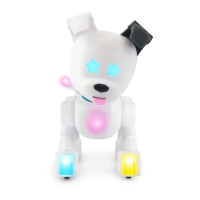
The CHiP™ App is an important piece to the CHiP™ experience. We push updates through the
app all the time. In order to make sure your CHiP™ is full of all the latest and greatest features,
make sure your app is up to date. There are lots of fun functions built into the app.
See full list below:
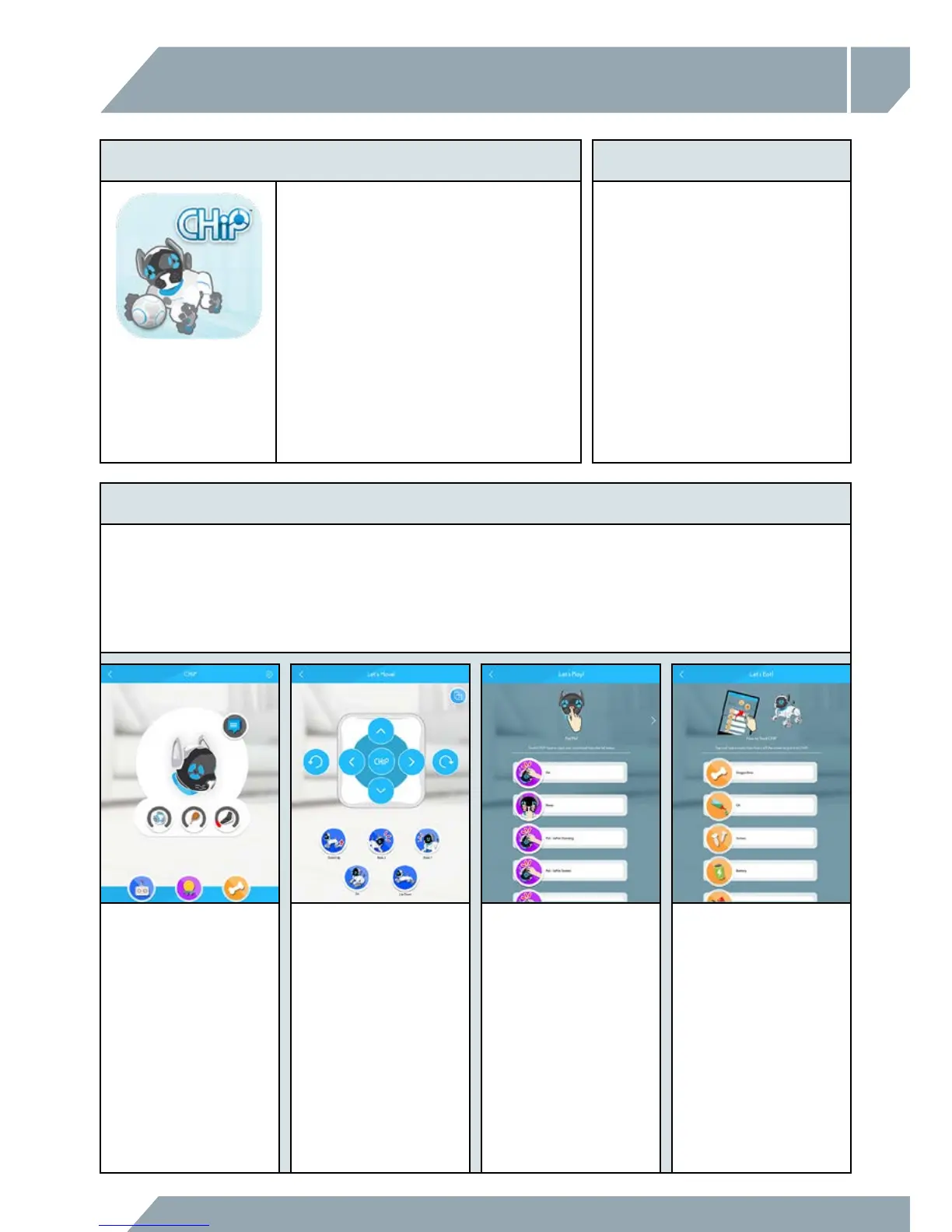
HOME SCREEN
Check CHiP™'s level of
happiness / hungriness / and
energy level
DRIVE SCREEN
You can take direct control of
CHiP™'s movements from your
Smart Device.
TRICKS
Discover all of the different sensor
events CHiP™ can react to.
It covers touch sensors and
voice commands. If ever you
forget how to make CHiP™
do a trick, check in here.
TREATS
To feed CHiP™ a snack, press
and hold any snack icon and
flick it up off the screen.
THE CHIP™ APP COMPATIBILITY
You will need to download the
CHiP™ App to get the most of CHiP™,
although there are some functions that
you can access without the app.
The app is compatible with both iOS and
Android and is available on the Apple
®
App Store and the Google Play™ Store,
Amazon Appstore™. Search for the
CHiP™ App and then download it to
your smart device.
CHiP™ works with iPhone
®
, iPad
®
and iPod touch
®
running iOS 9 or
later. The device must also support
Bluetooth
®
Smart (also known as
Bluetooth
®
Low Energy).
CHiP™ also works with most
Bluetooth
®
Smart Ready (BLE)
phones and tablets running
Android™ 4.4.4 (KitKat) or later.



 To Next Page