13
CUSTOM VOICE COMMAND
NAMING YOUR CHIP™
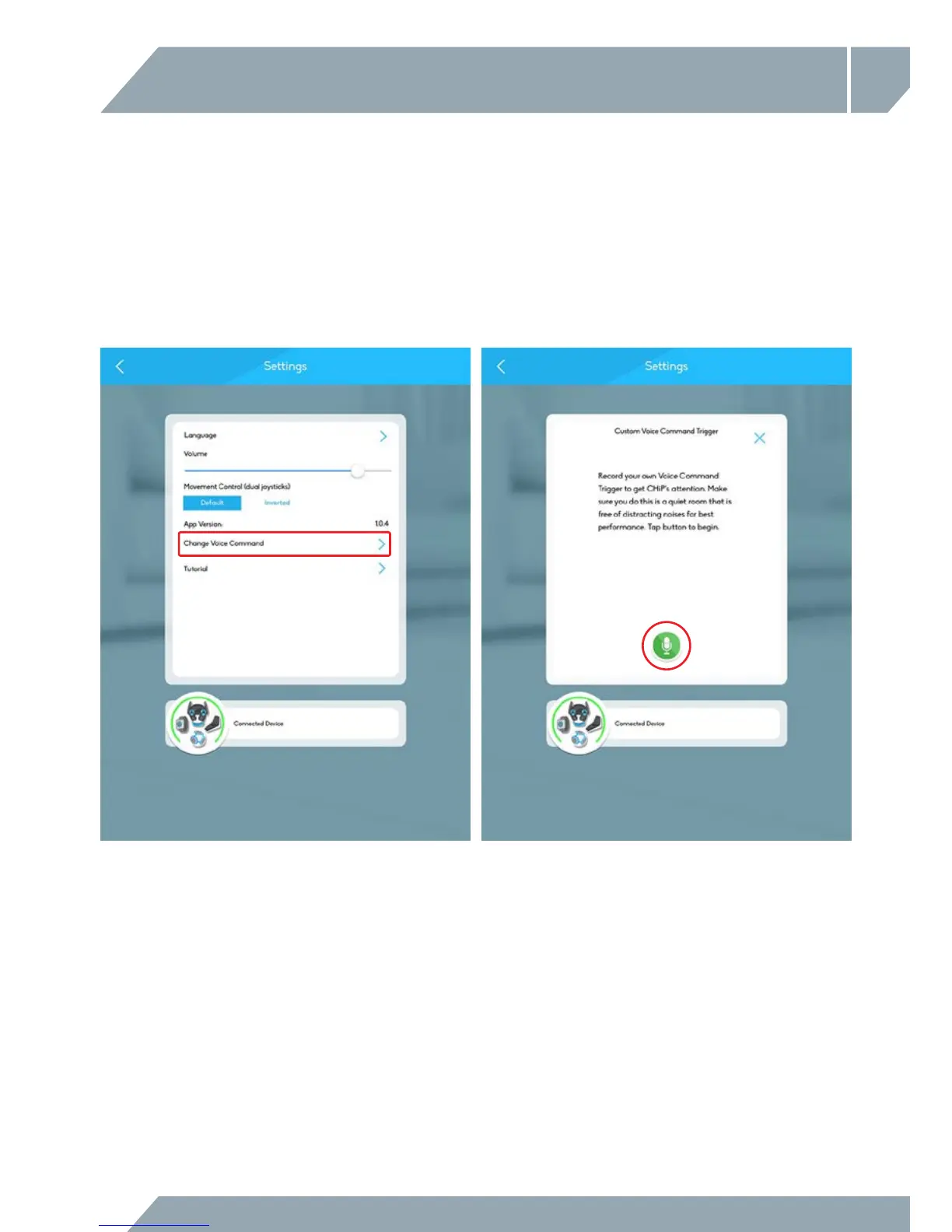
To rename your CHiP™, you’ll need to open up the CHiP™ App.
In the settings menu, hit the button that reads “Change Voice Command”. This will prompt a screen that
asks you to record your own voice instead. Tap the green microphone to begin. Be sure to pick
a name with two syllables. This will make it easier for CHiP™ to decipher, and he’ll be more responsive
towards it as a result.



 To Next Page