Rev 2.2/12-21 P1-02DC3: #3512221
TO RELEASE THE PADS FROM THE LOAD
Make sure load is at rest and fully supported before
releasing vacuum pads
.
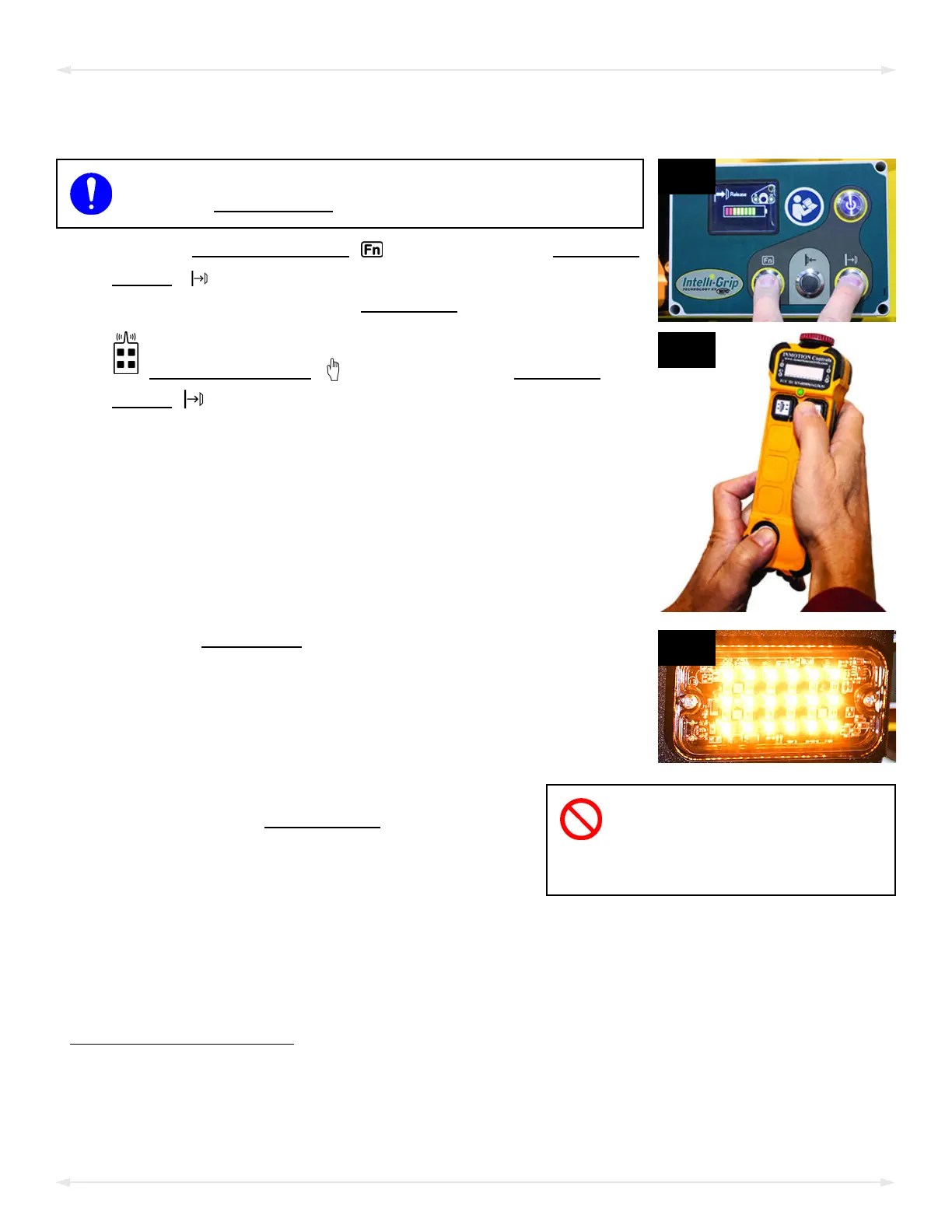
1) Hold the “function” button ( — fig. 1A) and the “release”
button ( — fig. 1A). If the vacuum seal does not break,
follow the directions on the LCD screen
.
To use the optional Remote Control System, hold the
“function” button
( — fig. 1B) and the “release”
button ( — fig. 1B) on the radio transmitter.
Note: The strobe light (fig. 1C) flashes while the “function” or
“release” button is held, to show the operator that signals
are being transmitted and to warn others that the operator
may be releasing the load.
2)
Do not move lifter until pads
release completely, because
such movement could result in load
damage or personal injury.
Continue to hold the “function” and “release”
buttons until the vacuum pads
release the load
completely. Otherwise, the vacuum lifter will
automatically revert to “attach” mode.
1
After the load is successfully released, the lifter activates the “Power Save” mode
automatically.
3) Before you lift another load, perf
orm the Every-Lift Inspection (see “I
NSPECTION SCHEDULE”).
1..... A “Timed Release” function can be used to help separate the lifter from the load: Hold the “function” and “release” buttons until a yellow arrow
appears on the LCD screen. Then tap the “function” button 2 or more times. This prolongs the release mode for 5 seconds per each additional
tap.
OPERATION


 To Next Page