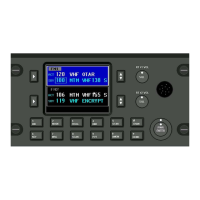
FLEXCOMM 2000
(P-2000/C-2000/RT-2000)
INSTALLATION MANUAL
Publication No. 150-049106 Page 35 of 56
Rev. F P-2000 Installation Manual
Nov 2007
SECTION 3 - ELECTRICAL INSTALLATION
1. General Information
The Flexcomm “2000” family of products provide for many installation options. Normally the requirements
can be determined by answering the following questions.
A. Does the user want a transceiver that is remote mounted or panel mounted?
This determines whether a P-2000 (panel mount) or a RT-2000 (Remote mount) transceiver will be
used.
If a RT-2000 remote mount transceiver is used, then at least one C-2000 control head must also be
specified. Additional C-2000's can be added for control of the RT-2000 from remote locations.
If a P-2000 panel mount transceiver is desired then additional C-2000's can be added for control of
the P-2000 from remote locations.
B. How many channels must be monitored at a time - one or two?
This determines how many Internal Transceiver Modules (ITM’s) are inside the P-2000 or the RT-
2000. The P-2000 and RT-2000 can have one or two ITM's.
If the transceiver has two ITM's, then the user has the choice of using one or two mic/headset ports.
Usually this is determined by the number of audio panel ports available for FM tactical radios.
In new installations it is recommended that two audio ports be used so that each ITM can be
accessed independently by two operators. For retrofit installations, one port can be used to access
both ITM's.
If only one microphone/headset port is available, then connect it to FM 1 mic/headset port on the
transceiver. The user will then need to select using the P-2000 or C-2000 front panel controls which
ITM to use for transmit. The receive audio from both ITM's will be summed together and output on
FM 1 Headset Port.
If two positions on the audio panel are available, then connect the 1
st
position to FM 1 mic/headset
and position #2 to FM 2 mic/headset. This will allow for two users to independently operate the two
ITM's.
C. Does the audio panel have individual RX audio volume controls?
If yes, then the P-2000 or C-2000 can have the volume controls programmed by the installer to a set
level that the user will not be able to change via the volume knobs on the front of the P-2000/C-2000.
In this case, the user will go to the audio panel to change the volume - not the P-2000 or C-2000.
These commodities, technology or software are controlled in accordance with the United States Export Administration Regulations, Export Classification
Control Number (ECCN) 7E994. When exporting, diversion contrary to U.S. law is prohibited.


 To Next Page