FLEXCOMM 2000
(P-2000/C-2000/RT-2000)
INSTALLATION MANUAL
Publication No. 150-049106 Page 55 of 56
Rev. F P-2000 Installation Manual
Nov 2007
SECTION 6 – CONFIGURATION PROCEDURES
1. Introduction
There are two configuration settings that may need to be set by the installer before operational use.
2. Configuration Settings
The following lists the configuration settings available in the P-2000/C-2000 that an installer must set
properly based on the system design. Please use instructions displayed in the P-2000/C-2000/RT-2000
Operators Manual for instructions on how to change these settings. Factory settings are shown below.
A. MIC MODE (DUAL/SINGLE)
There are two Mic mode settings depending on how many audio panel positions are available.
Single Mic mode is used when there is only one mic/headset position on the audio panel. In this
case, the audio from both FM1 and FM2 will be summed together during receive and sent to the FM1
Headset pins. Likewise microphone audio should be connected to FM1 Mic inputs and the operator
will TX on whichever transceiver is the active transceiver. The active transceiver is easily
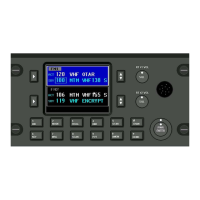
distinguished by the area of the display that has a bright blue background.
Dual Mic mode is used when there are two mic/headset positions on the audio panel dedicated to the
P-2000 system. In this case the audio from FM1 is sent to and from the FM 1 Mic/Headset pins.
Audio from FM2 is sent to and from the FM2 Mic/Headset pins. The RX audio from each transceiver
is kept separate. In this case the designation of a transceiver, FM1 or FM2 as the “active” transceiver
only means the knobs and buttons will operate on that transceiver. The user selects which
transceiver FM1 or FM2 via the audio panel.
Note: FACTORY SETTING = “DUAL”.
B. LOCK VOLUME (NO/YES)
If the installer has designed the system with audio panels that do not have volume controls, this value
should be set to NO. When audio panels have volume controls, it is left to the installer/user to
determine if they’d like the volume pots on the P-2000 to be disabled so that there is only one location
in the system for volume control – the audio panel. In this case set this value to “YES”.
Note: FACTORY SETTING = “NO”.
These commodities, technology or software are controlled in accordance with the United States Export Administration Regulations, Export Classification
Control Number (ECCN) 7E994. When exporting, diversion contrary to U.S. law is prohibited.


 To Next Page