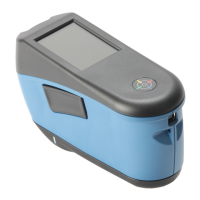
RapidMatch
TM
GO Spectrophotometer
18
Capacity: 2.15 Ah
Max. discharge current: 4A
Max. charge current: 2.15A
Inner resistance: <= 120 mΩ
Compliance: UN38.3, IEC62133B, CE
Protection: over current, over charge, over discharge
15. Troubleshooting
Prior to contacting PPG support department for instrument problems, try the
applicable solution(s) described below.
Instrument is turned off.
Turn instrument on by pressing
the power/measure button.
Charge the battery min. 1 hour.
After max. 5 minutes the screen
will turn on.
Charge the battery. If the screen
does not turn on after max. 5
minutes check if the USB cable
is correctly connected to the
computer or power supply (USB
ports on computer monitors and
keyboards do not deliver enough
power). If it still does not work
the battery needs to be replaced.
Contact technical support.
instable (turns
on and off
periodically)
when the
instrument is
connected to a
computer or
power supply.
Battery needs to be replaced.
Contact technical support.
Disconnect USB cable. Press


 To Next Page