EasyManua.ls Logo

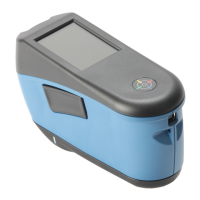
X-Rite RapidMatch XI - User Manual

X-Rite RapidMatch XI
19 pages
Print Icon
To Next Page IconTo Next Page
Loading...
Spectrophotometer
User Guide
Version 1.0

Questions and Answers

  • C
    Cassandra McgrathAug 2, 2025
    What to do if my X-Rite Measuring Instrument is not responding?
    • L
      Leslie AlvarezAug 3, 2025
      If your X-Rite Measuring Instrument is not responding, it could be due to several reasons: * The instrument might be in power down mode. In this case, press the power button. * The battery pack could be very low or bad. Try charging the battery. If the battery pack is faulty, replace it. * There might be no battery pack installed. Install batteries or plug in the power adapter.
  • L
    Laura ReidAug 13, 2025
    Why is my X-Rite Measuring Instrument not turning on?
    • M
      Mrs. Anne WatsonAug 13, 2025
      Your X-Rite Measuring Instrument might not be turning on because: * It is in power down mode. To resolve this, press the power button. * The battery pack is very low or faulty. Charge the battery, and if it's still not working, replace the battery pack. * There is no battery pack installed. You should install batteries or plug in the power adapter.
  • K
    Kaitlyn LesterAug 23, 2025
    How to fix an X-Rite Measuring Instrument that won't power on?
    • C
      Connie GarnerAug 23, 2025
      To fix an X-Rite Measuring Instrument that won't power on: * First, ensure it's not in power down mode by pressing the power button. * If that doesn't work, check the battery. Charge it if it's low, or replace it if it's bad. * Also, make sure a battery pack is installed or that the power adapter is plugged in.

Summary

Safety, Compliance, and Handling

Battery Installation and Charging

Installing the Battery Pack

Step-by-step guide for installing the battery pack.

Battery Information and Power Connection

Connecting the Power Adapter

Guide to connecting the AC power adapter for operation.

Measurement Controls

Measure Buttons Overview

Describes the location and function of the measure buttons.

Pressure Sensors and Indicators

Explains pressure sensors and their visual indicators.

Instrument Interface

Settings and Calibration

Calibration Process

Measurement Procedure

Initiating and Aligning Measurement

How to position and align the instrument for accurate readings.

Measurement Execution and Light Seal

Completing a Measurement Job

Steps for steady holding, calculating, and saving measurements.

Maintenance and Cleaning

Important Notes and Troubleshooting

Troubleshooting Instrument Issues

Common problems and their solutions for instrument operation.

Troubleshooting Details

Measurement and Communication Issues

Solutions for measurement inaccuracies and communication errors.

Measurement;Calibration Failures

Steps to resolve calibration failures and sensor issues.

Service and Parts

X-Rite RapidMatch XI Specifications

General IconGeneral
TypePortable Spectrophotometer
Measurement MethodReflectance
DisplayColor LCD
ConnectivityUSB
Battery LifeUp to 8 hours
Light SourceLED
Measurement Area8 mm
Spectral Range400 - 700 nm
Spectral Resolution10 nm
Measurement Geometry45/0
Color SpaceCIE L*a*b*
Operating Temperature10°C to 40°C
Storage Temperature-20 to 50 °C
Humidity Range0 to 85% RH (non-condensing)
InterfaceUSB

Related product manuals