EasyManua.ls Logo

X-Rite RapidMatch XI - Installing the Battery Pack

X-Rite RapidMatch XI
19 pages
Print Icon
To Next Page IconTo Next Page
To Previous Page IconTo Previous Page
Loading...
RapidMatch
XI Spectrophotometer
4
1. Packaging
Standard
RapidMatch
XI instrument
USB interface cabling
Power adapter
Power cords
Calibration reference
Battery pack
Safety strap
USB Image library (contains
User Guide)
Two light seals
Screen protector
Optional
Carrying case
Home base
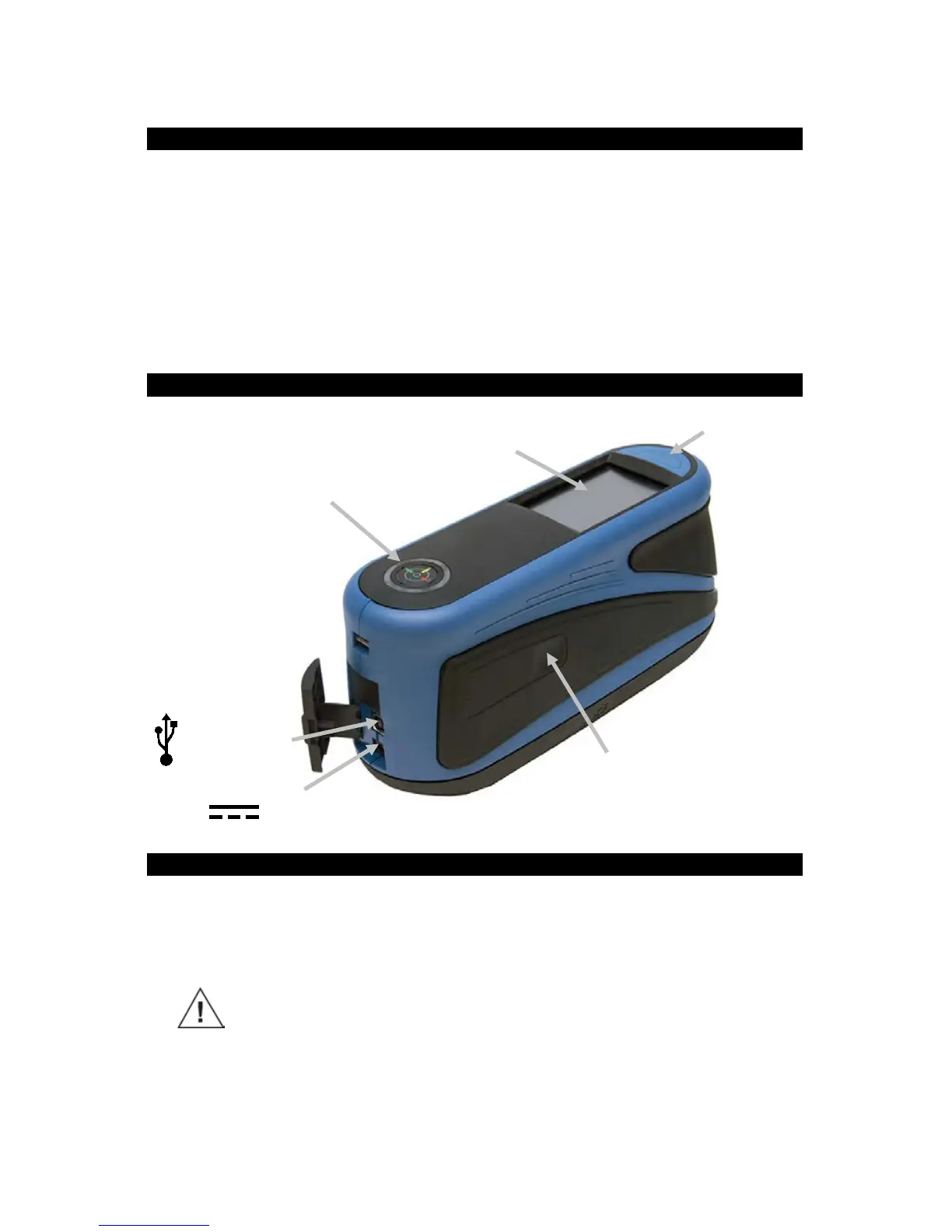
2. Overview
3. Installing the Battery Pack
Your new instrument is shipped from the factory with the battery pack
removed. The battery pack is located in the instrument case and should be
charged before use. The instrument will also operate from the power adapter
without a battery pack installed.
Use the rechargeable Li-ion batteries; other types may cause
personal injury or damage to the device. Replacement batteries can
be purchased from your authorized X-Rite representative or E-One
Moli Energy Corp.
NOTE: If the battery pack is ever dropped, check it for damage and
replace if necessary. Refer to Section 17 Specifications.

Power on/off and
measure button
USB data input
Indicator LED
Side measure button
(button also available on
opposite side)
Glass touch screen
Power adapter input

Related product manuals