Maintenance
4-10 975-0057-01-01
3. Disconnect the wires on the battery only.
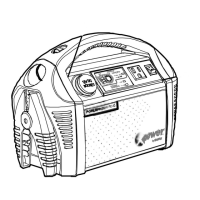
4. After removing the old battery, position the new battery
close to the back of the XPower Powerpack.
Make sure the positive battery terminal is next to the red
positive (+) internal cable and the black negative terminal
is next to the black negative (–) internal cable.
5. Securely fasten the bolt and washer that holds the red
positive (+) cable to the positive (+) battery terminal and
the black negative (–) cable to the negative (–) battery
terminal.
6. Do not overtighten the bolt. Consult the battery
manufacturer for torque specifications.
Fasteners


 To Next Page
 Loading...