Menu item
Description
Enable Fax Scans
• On*
• Off
Fax documents that are scanned at the printer.
Driver to Fax
• On*
• Off
Allow the print driver to send fax.
Allow Save as Shortcut
• On*
• Off
Save fax numbers as shortcuts on the printer.
Max Speed
• 33600*
• 14400
• 9600
• 4800
• 2400
Set the maximum speed for sending fax.
Enable Color Fax Scans
• Off by Default*
• On by Default
• Never Use
• Always Use
Enable color scans for fax.
Auto Convert Color Faxes to Mono
Faxes
• On*
• Off
Convert all outgoing color faxes to black and white.
Confirm Fax Number
• On*
• Off
Ask the user to confirm the fax number.
Dial Prefix
Set a dialing prefix.
Note: An asterisk (*) next to a value indicates the factory default setting.
Fax Receive Settings
Menu item
Description
Rings to Answer
1–25 (3*)
Set the number of rings for incoming fax.
Auto Reduction
• On*
• Off
Scale incoming fax to fit on the page.
Xerox
®
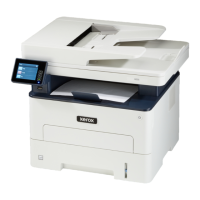
B225/B235 Multifunction Printer
User Guide
145
Use printer menus


 To Next Page