Menu item
Description
Paper Source
• Tray [X]
• Auto*
Set the paper source for printing incoming fax.
Separator Sheets
• None*
• Before Job
• After Job
Specify whether to insert blank separator sheets when printing.
Separator Sheet Source
Tray [X] (1*)
Specify the paper source for the separator sheet.
Fax Footer
• On
• Off*
Print the transmission information at the bottom of each page
from a received fax.
Fax Footer Time Stamp
• Receive*
• Print
Print the time stamp at the bottom of each page from a received
fax.
Note: An asterisk (*) next to a value indicates the factory default setting.
Admin Controls
Menu item
Description
Enable Fax Receive
• On*
• Off
Set the printer to receive fax.
Enable Color Fax Receive
• On*
• Off
Set the printer to receive fax in color.
Enable Caller ID
• On*
• Off
Show the number that is sending the incoming fax.
Block No Name Fax
• On*
• Off
Block incoming faxes sent from devices with no station ID or fax
ID specified.
Answer On
• All Rings*
• Single Ring Only
• Double Ring Only
• Triple Ring Only
• Single or Double Rings Only
• Single or Triple Rings Only
Set a distinctive ring pattern for incoming fax.
146
Xerox
®
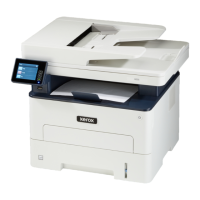
B225/B235 Multifunction Printer
User Guide
Use printer menus


 To Next Page