Xerox
®
DocuMate
®
4760
User’s Guide
191
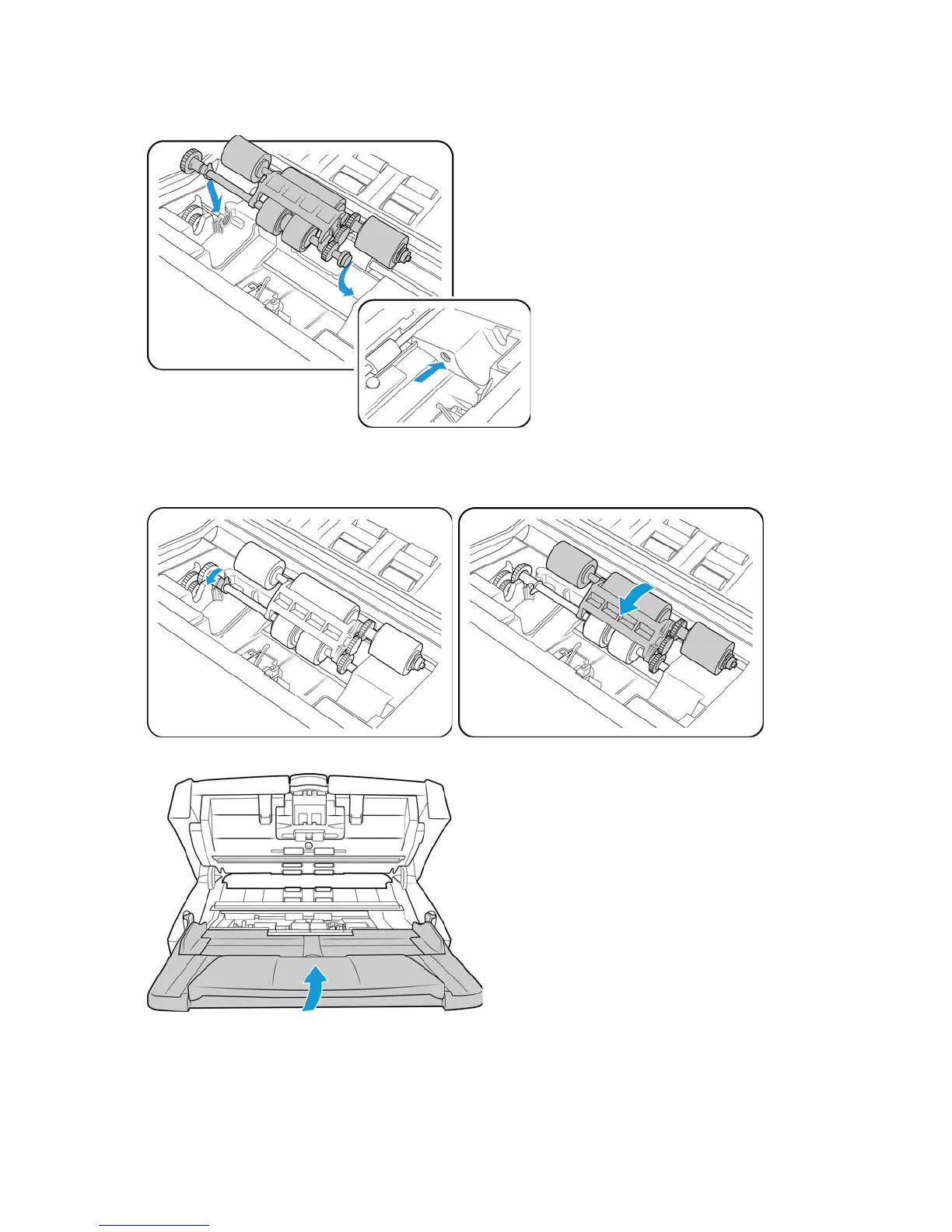
12. Insert the round end of the roller into the slot in the scanner.
13. Carefully lower the roller into the scanner. Make sure the white locking tab is pointing up.
Make sure the gears on the roller are sitting properly against the gears in the scanner before continuing.
14. Rotate the white tab down to lock the roller in place and then lower the roller into the scanner.
15. Lift the input tray up.


 To Next Page
 Loading...