EasyManua.ls Logo

Xiaomi Mi Robot Vacuum - User Manual

Xiaomi Mi Robot Vacuum
32 pages
Print Icon
To Next Page IconTo Next Page
Loading...
Mi Robot Vacuum User Manual
Read this manual carefully before use, and retain it for future reference

Questions and Answers

  • C
    Cheryl ZunigaAug 21, 2025
    Why is my Xiaomi Mi Robot Vacuum not charging and showing error 19?
    • R
      rebeccahooperAug 21, 2025
      If your Xiaomi Vacuum Cleaner shows error 19, it indicates that power is not coming through the charging dock. This may be because the charging dock power cord is not correctly plugged in. Ensure the power cord is correctly inserted and try charging again.
  • R
    Robert RiceSep 4, 2025
    How do I resolve error 1 with my Xiaomi Vacuum Cleaner?
    • V
      vwilliamsSep 4, 2025
      Error 1 on your Xiaomi Vacuum Cleaner means the laser distance sensor is stuck due to an obstruction or foreign object. Remove the obstruction. If this doesn't solve the problem, move the unit to a new location and activate it.
  • J
    Joshua FletcherSep 2, 2025
    How to fix error 2 on Xiaomi Mi Robot Vacuum Vacuum Cleaner?
    • M
      Mckenzie WilsonSep 2, 2025
      If your Xiaomi Vacuum Cleaner displays error 2, it indicates that the collision buffer is stuck. Gently tap on it to remove any impediments. If there are no impediments, move the device to a new location and activate it.
  • B
    Blake Harrington IIISep 1, 2025
    What to do if my Xiaomi Mi Robot Vacuum displays error 7?
    • G
      Gregory ThompsonSep 1, 2025
      If your Xiaomi Vacuum Cleaner displays error 7, check whether the main wheel has caught on any foreign objects. After cleaning the wheel, reactivate the device.
  • M
    Michelle EdwardsAug 30, 2025
    What does error 14 mean on Xiaomi Mi Robot Vacuum and how to fix it?
    • C
      Cheryl OwensAug 31, 2025
      Error 14 on your Xiaomi Vacuum Cleaner indicates a battery problem, specifically that the battery temperature is too high or too low. Allow the temperature to return to normal before reusing the device.
  • J
    Jeff PerryAug 29, 2025
    How to fix error 6 on my Xiaomi Mi Robot Vacuum?
    • L
      Linda CarterAug 29, 2025
      If your Xiaomi Vacuum Cleaner is showing error 6, this indicates that foreign objects may have become entangled with the side brush. Disassemble and clean the side brush to resolve this.
  • S
    Steven CookeAug 27, 2025
    How to resolve error 8 on Xiaomi Mi Robot Vacuum Vacuum Cleaner?
    • B
      Brianna CortezAug 28, 2025
      If your Xiaomi Vacuum Cleaner displays error 8, it means the unit may be caught or stuck. Clear away any obstructions around the device to resolve this issue.
  • R
    rhondahenryAug 27, 2025
    What to do if Xiaomi Vacuum Cleaner displays error 10?
    • C
      Cody HowellAug 27, 2025
      If your Xiaomi Vacuum Cleaner shows error 10, it suggests the filter may be obstructed. Clean the filter. If the problem persists, replace the filter.
  • J
    Julia FloresAug 25, 2025
    How to fix error 5 on my Xiaomi Mi Robot Vacuum Vacuum Cleaner?
    • C
      Christina PerryAug 25, 2025
      Error 5 on your Xiaomi Vacuum Cleaner indicates that foreign objects may have become entangled with the main brush. To fix this, remove the main brush and thoroughly clean both the bristles and the axle.
  • G
    Greg AguilarAug 23, 2025
    What to do if Xiaomi Mi Robot Vacuum Vacuum Cleaner shows error 12?
    • G
      granttoddAug 23, 2025
      If your Xiaomi Vacuum Cleaner displays error 12, it means there is not enough power. To resolve this, recharge the device before attempting to use it again.

Summary

Safety Information

Usage Restrictions

Lists general restrictions for product usage and environment.

Battery and Charging Safety

Laser Safety Information

WEEE Disposal Information

Warranty Policy

Product Overview

Main Unit and Accessories

Illustrates the main unit components and included accessories.

Installation Guide

Power Cord, Dock Setup, and Charging

Instructions for power cord, dock placement, and initial charging.

Mi Home App Connection

Instructions for downloading and connecting the Mi Home application.

Operating Instructions

Powering, Pausing, and Cleaning Methods

Covers unit power, pause, resume, and general cleaning strategies.

Charging and Operation Notes

Details charging behavior and operational notes.

Local Cleaning Function

Status, Sleep, and Advanced Modes

Daily Maintenance

Charging Dock and Main Brush Care

Instructions for cleaning the charging dock and maintaining the main brush.

Dust Bin and Filter Maintenance

Filter, Side Brush, and Battery Care

Wheel and Sensor Maintenance

System Reset and Specifications

Troubleshooting Guide

Obstruction, Wheel, and System Errors

Solutions for errors related to obstructions, wheels, power, and system malfunctions.

Filter, Sensor, and Battery Errors

Frequently Asked Questions (FAQ)

Power, Charging, and Connectivity FAQs

Answers common questions about power, charging, and Wi-Fi connection.

Cleaning Performance and Battery FAQs

FAQs regarding cleaning effectiveness, noises, and battery usage.

EU Declaration of Conformity

EU Declaration of Conformity

EU Declaration of Conformity

EU Declaration of Conformity

EU Declaration of Conformity

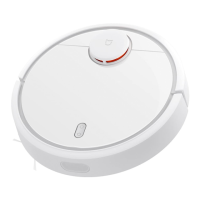
Xiaomi Mi Robot Vacuum Specifications

General IconGeneral
ShapeRound
Product colorWhite
Built-in displayNo
Housing materialAcrylonitrile butadiene styrene (ABS)
Dust container typeBagless
Smartphone remote supportYes
Battery life250 m²
Battery voltage14.4 V
AC input voltage100 - 240 V
Battery capacity5200 mAh
AC input frequency50 - 60 Hz
Battery technologyLithium
Power consumption (typical)55 W
Noise level- dB
Integrated sensorsAccelerometer, Gyroscope, Laser, Ultrasonic Sensor
Dust capacity (total)- L
Base station functionsCharging
HEPA filtration system-
Operating temperature (T-T)0 - 40 °C
Suction power1800 Pa
Weight and Dimensions IconWeight and Dimensions
Height96 mm
Weight3800 g
Diameter345 mm

Videos

How to Add Xiaomi Mi Robot Vacuum Mop 2 Lite to the App

How to Clean Sensors on Xiaomi Mi Robot Vacuum Mop 2 Lite

How to Empty the Dust Bin on Xiaomi Mi Robot Vacuum-Mop 2 Lite

How to Turn on Xiaomi Mi Robot Vacuum-Mop 2 Lite

How To Fix Xiaomi Mi Robot Vacuum Mop 2i Water Tank Error

How To Reset Mi Robot Vacuum Mop

Related product manuals