16
Pressure
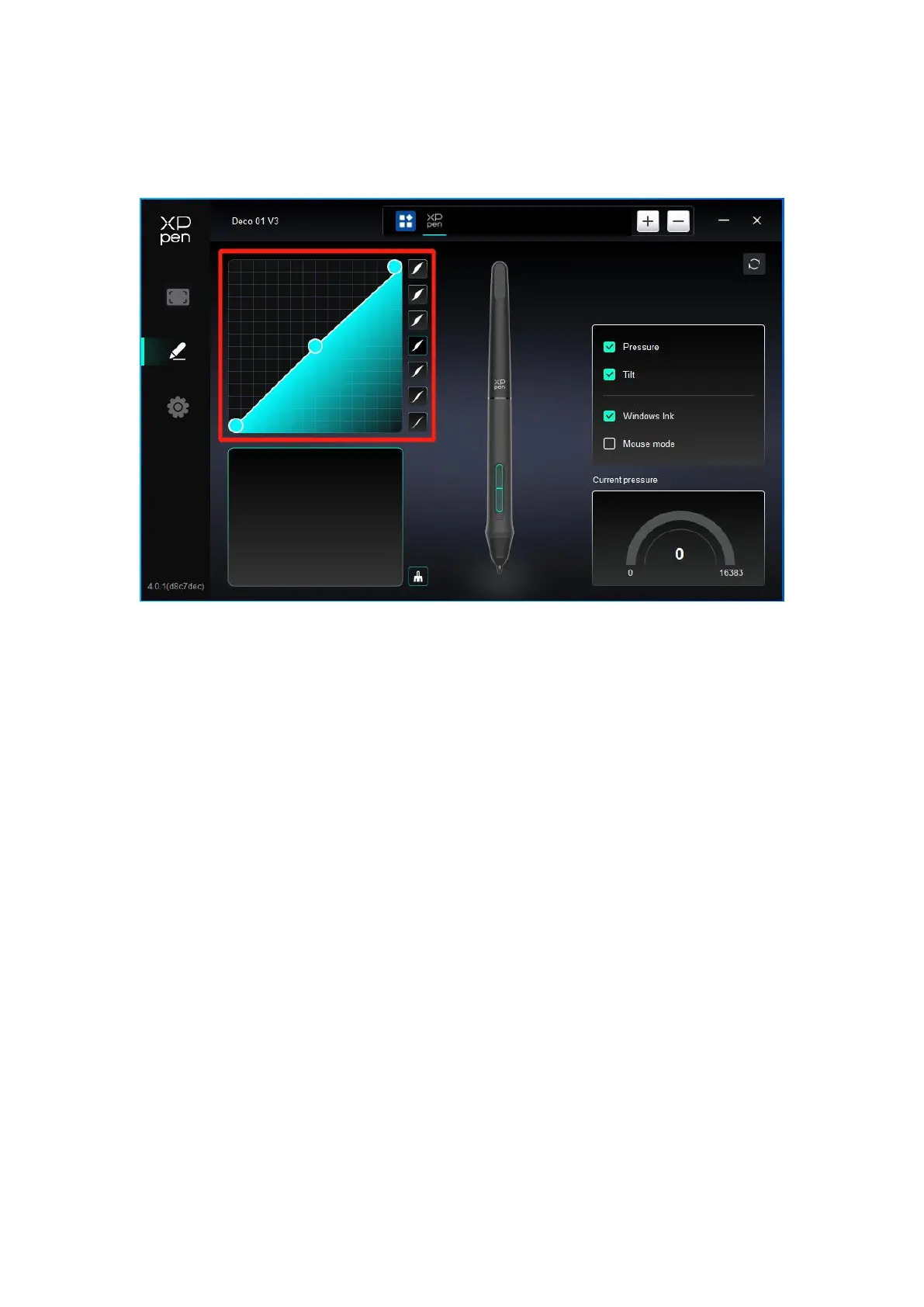
By adjusting the pressure curve or selecting preset pressure options.
Current pressure:
Test the current pressure sensitivity level of your stylus.
Pressure:
When turned off, the pressure sensitivity of the stylus will be disabled.
Tilt:
When turned off, the tilt functionality of the stylus will be disabled.
Mouse mode:
When you move your pen out of the work area, the cursor will stay where you leave, which
is like operating a mouse. Select the mode and you can adjust the speed of the cursor on
your device. If you do not select the mode, the pen mode applies by default.
Windows Ink (for Windows only):
Windows supports handwriting function. If you need to use this function in Microsoft
Office/Whiteboard or other software, please do not turn it off.














 To Next Page