7
4.2 Introduction to Driver
The driver will run automatically after being installed. If it does not run automatically,
please run it manually.
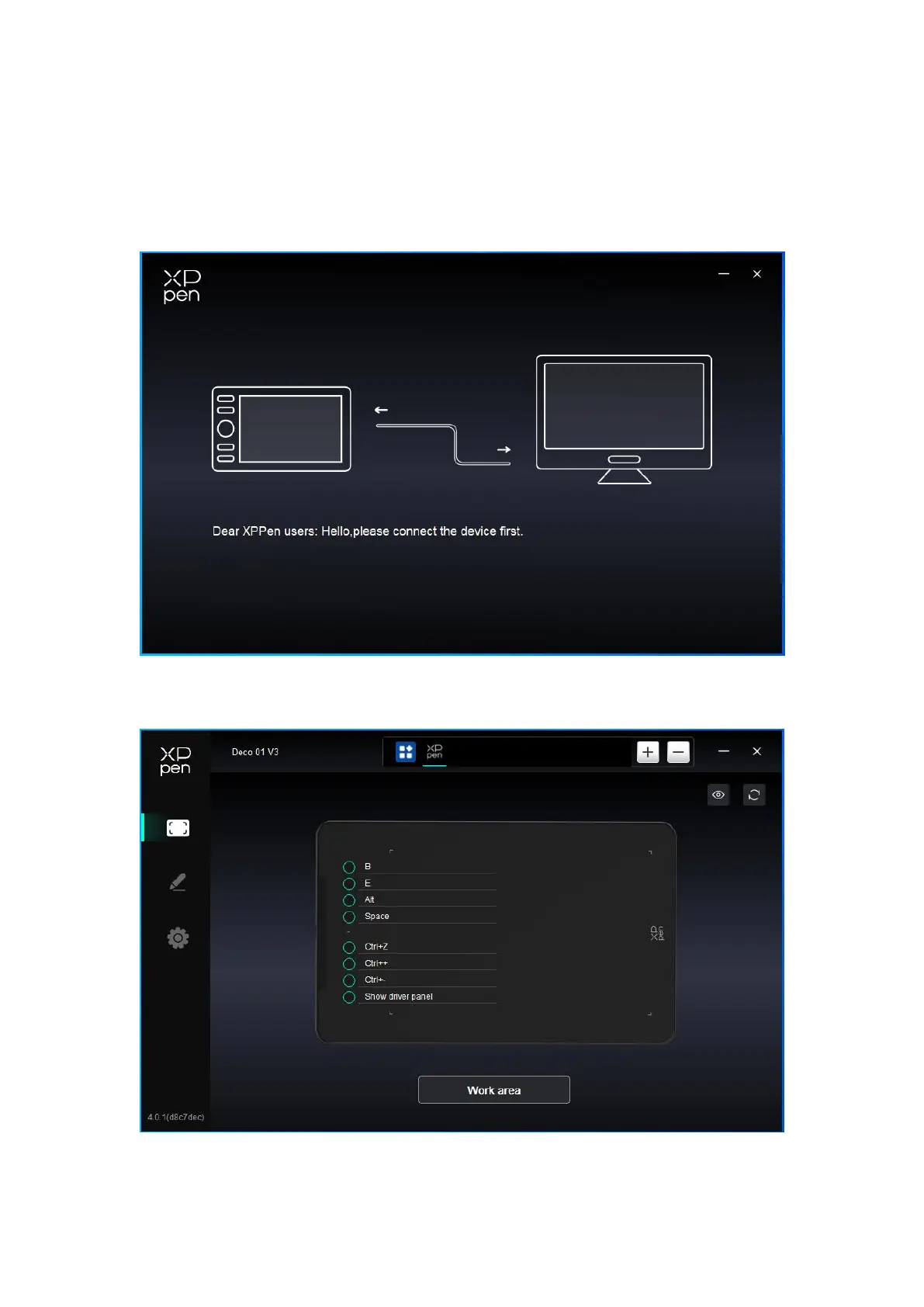
If the device is not connected or the connection fails, you can see the following prompt. In
this case, try to restart your computer or the driver, or contact our service staff for support.
If the device is connected to your computer successfully, the device name will be
displayed in the upper left corner of the driver.
You can connect up to multiple devices via the driver at the same time. Customize a














 To Next Page