38
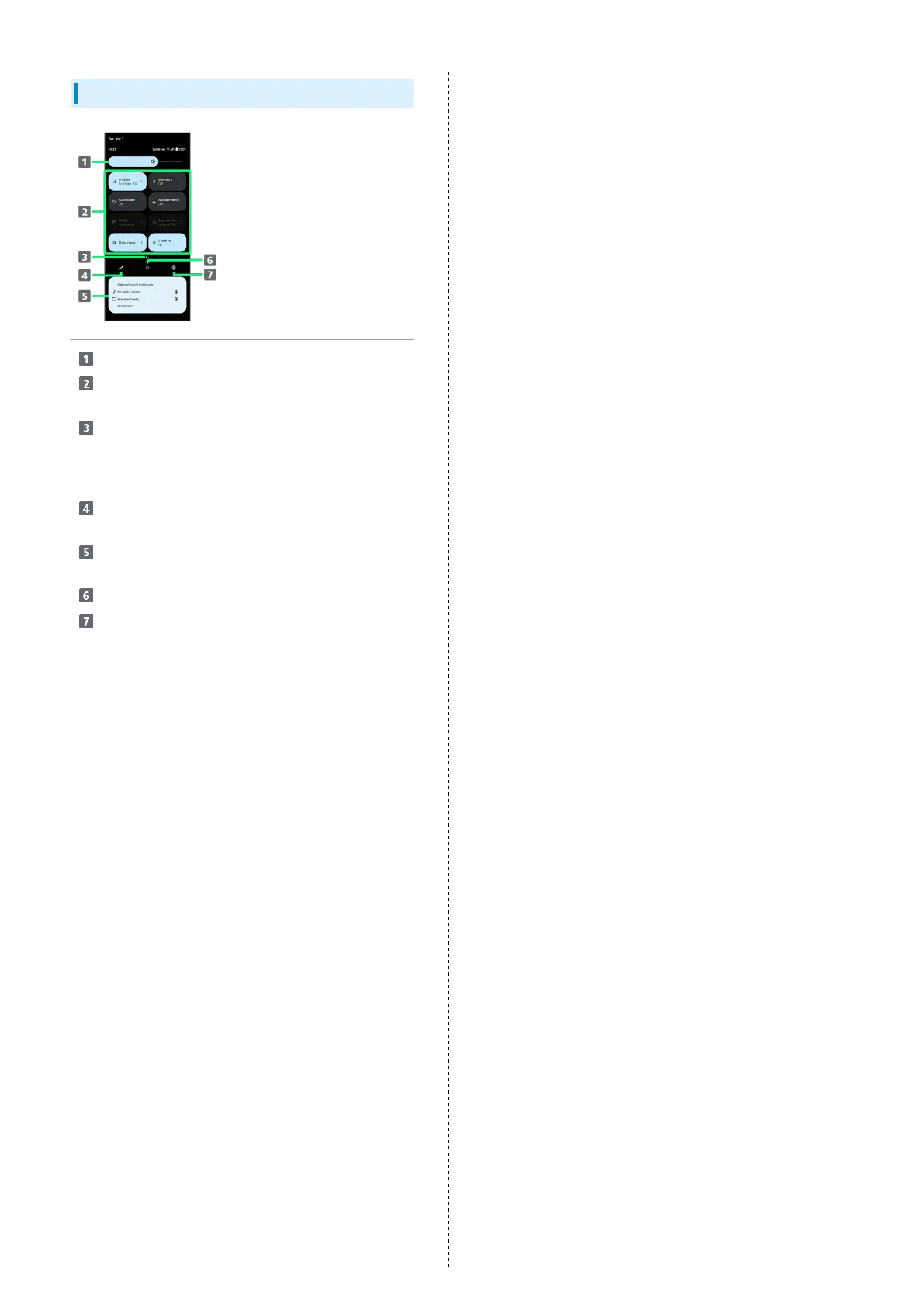
Quick Settings Layout
Adjust brightness
Quick Setting Tools
Tap to toggle each function on/off, etc.
Current display position
Show the display position of Quick Setting Tools. Flick
Quick Setting Tools left or right to change the display
position.
Add, delete, and change display position of Quick
Setting Tools
Show information and current settings for sound/image
quality
Show power menu
Show handset settings


 To Next Page