89
Global Services
Xperia 5 IV
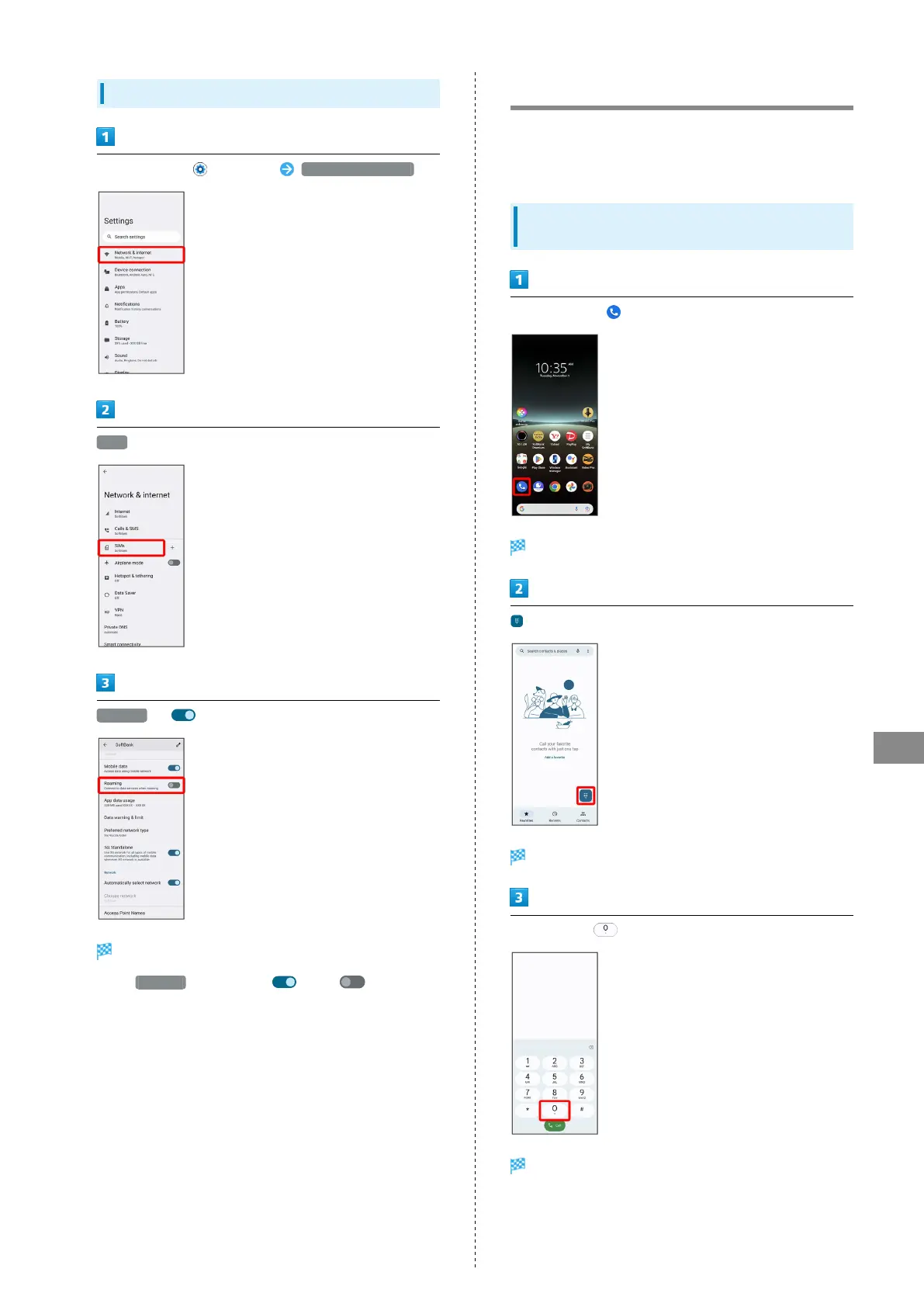
Changing Roaming Setting
In Home Screen, (Settings) Network & internet
SIMs
Roaming ( )
Roaming setting is changed.
・
Tap Roaming to toggle on ( )/off ( ).
・If confirmation appears, follow onscreen instructions.
Making Calls while Abroad
See SoftBank Website to learn about roaming areas/services,
etc.
https://www.softbank.jp/en/mobile/service/global/
International Calls to Japan and Other
Countries/Regions from Abroad
In Home Screen, (Phone)
Phone opens.
Dialing screen opens.
Touch & Hold
"+" is entered.



 To Next Page