71
Wi-Fi/Bluetooth
Xperia 5 IV
Using Bluetooth Function
Connect to a Bluetooth-capable wireless phone, etc. for calls
or to a hands-free device such as a headset.
Bluetooth Function Cautions
Information may not appear correctly on both devices
depending on the transferred data.
Enabling Bluetooth Function
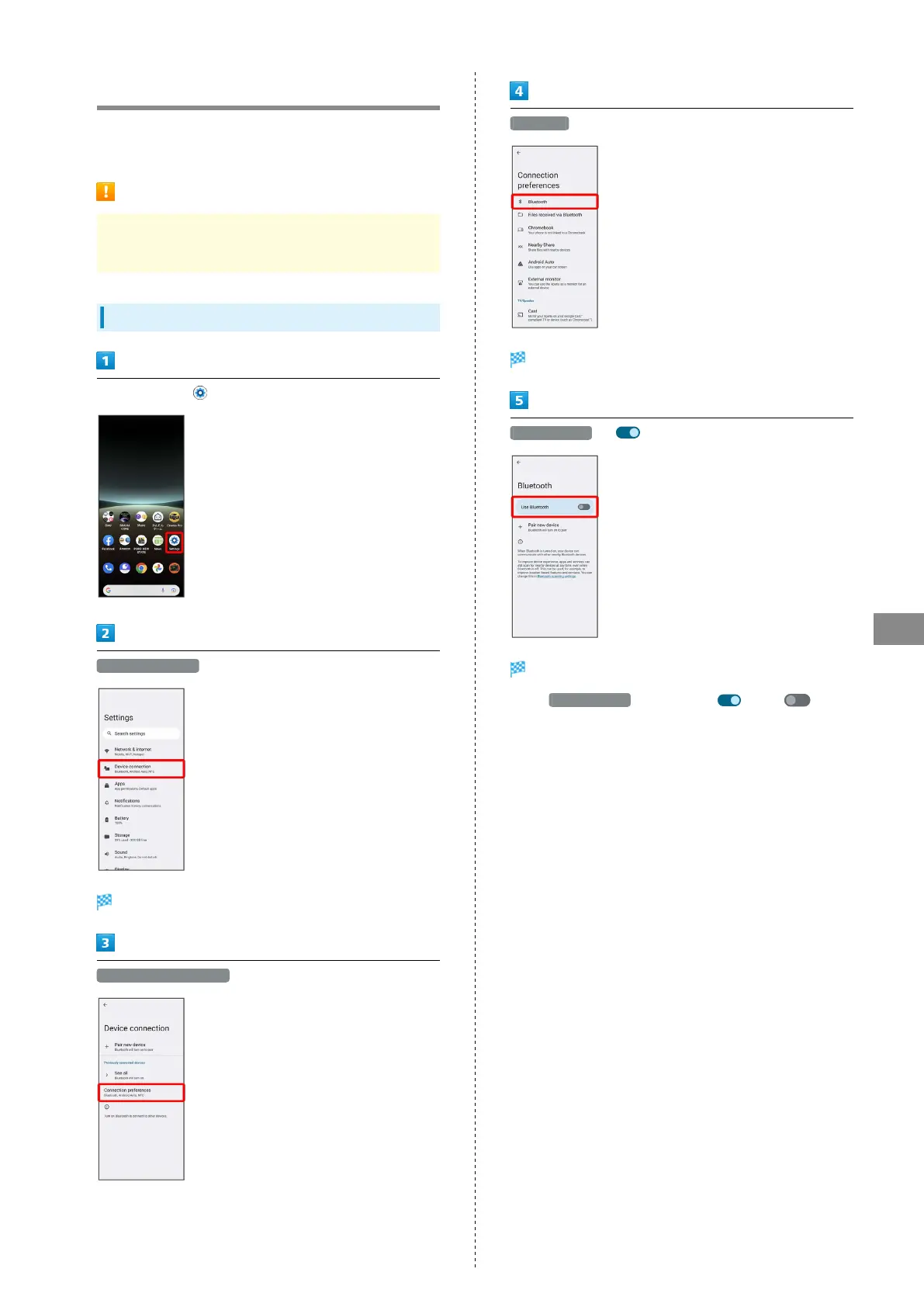
In Home Screen, (Settings)
Device connection
Screen for connecting device opens.
Connection preferences
Bluetooth
Bluetooth settings open.
Use Bluetooth ( )
Bluetooth function is enabled.
・
Tap Use Bluetooth to toggle on ( )/off ( ).


 To Next Page