65
Application Basics
Xperia 5 IV
Adding Applications
Download a variety of applications (free/paid) from Google
Play™. Change the setting of downloaded applications to
enable manual or automatic updates. Log in to your Google
account beforehand.
Installing Applications
Many different kinds of applications can be installed
on handset from Google Play (provided by Google LLC).
SoftBank Corp. is not responsible in any way for user-
installed applications (quality, reliability, legality, fitness
for a purpose, credibility, accuracy, etc.) or resulting
malfunctions (viruses, etc.).
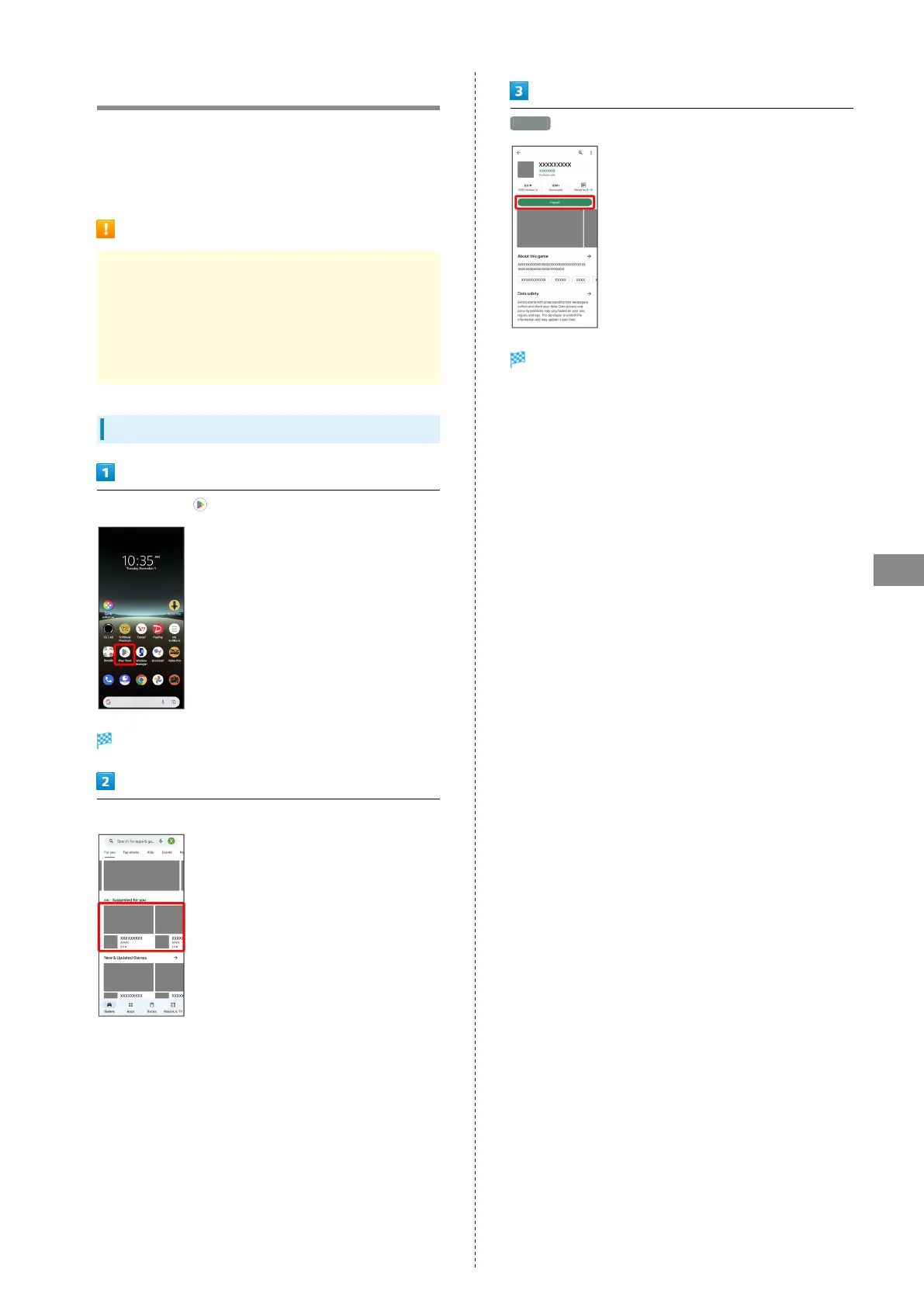
Installing Free Applications
In Home Screen, (Play Store)
Google Play appears.
Tap free application
Install
Application is downloaded and installed.



 To Next Page