61
Camera
Xperia 5 IV
Capturing Videos
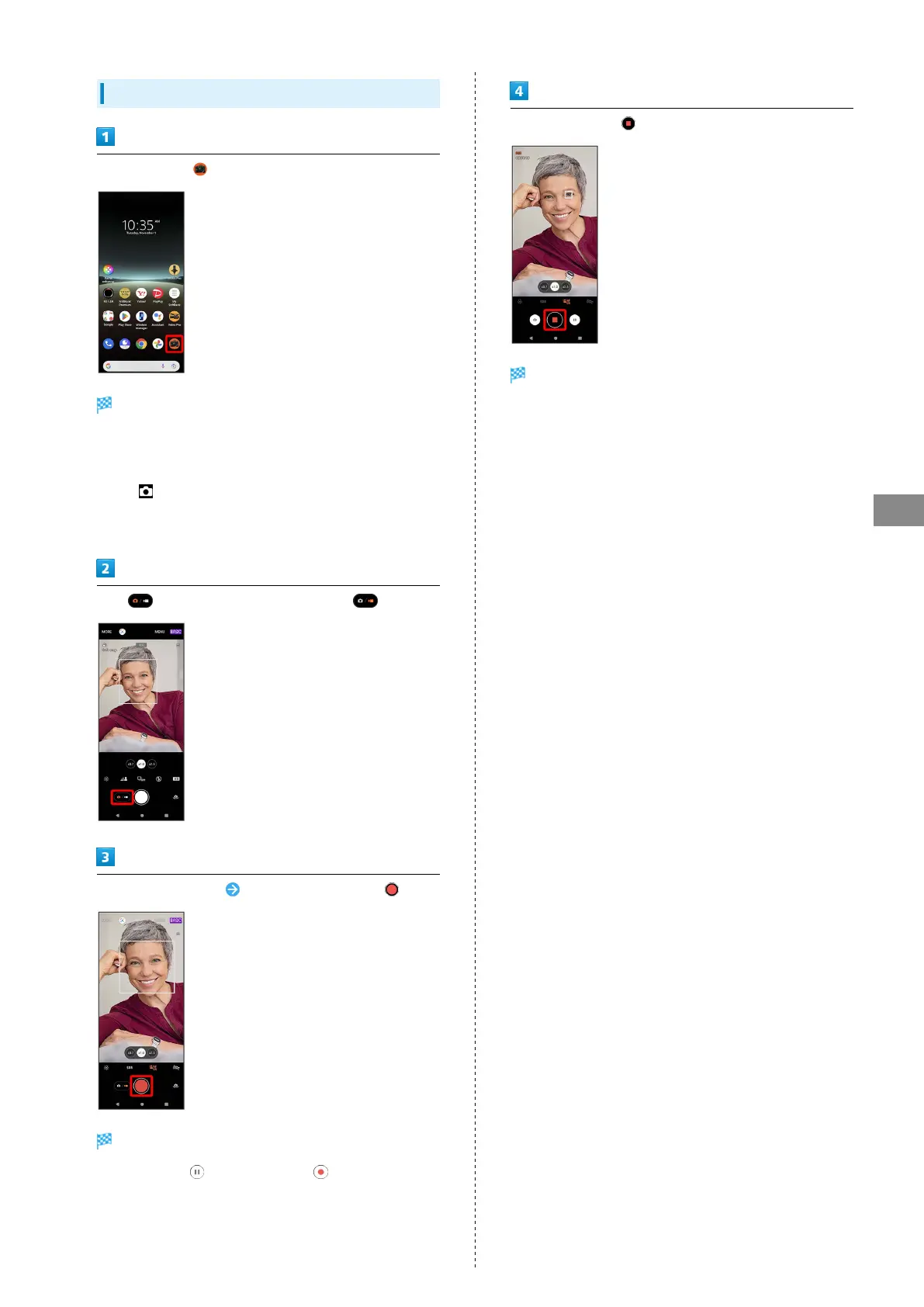
In Home Screen, (Photo Pro)
Viewfinder appears.
・If confirmation appears, follow onscreen instructions.
・Alternatively, Press handset Shutter Key for one second or
more, or Press Power Key twice, or in Lock Screen, Touch &
Hold to quick-activate Photo Pro.
・If there is no operation on Viewfinder, Photo Pro operation
ends.
Tap to switch to "Video" Viewfinder ( )
Aim Camera at subject Check Viewfinder, then
Video capturing starts.
・
To pause, Tap or to resume, Tap .
To stop recording,
Video capturing stops and video is saved.



 To Next Page