13
- The power adaptor is only designed for indoor use and should not be exposed to water or humidity.
- Always connect your power adaptor in an accessible, visible place to ensure that it can be unplugged
quickly in the event of overheating or other problems.
- Do not charge the devices during a thunderstorm, always unplug the power adaptor from the supply.
- Do not charge close to inammable parts or substances.
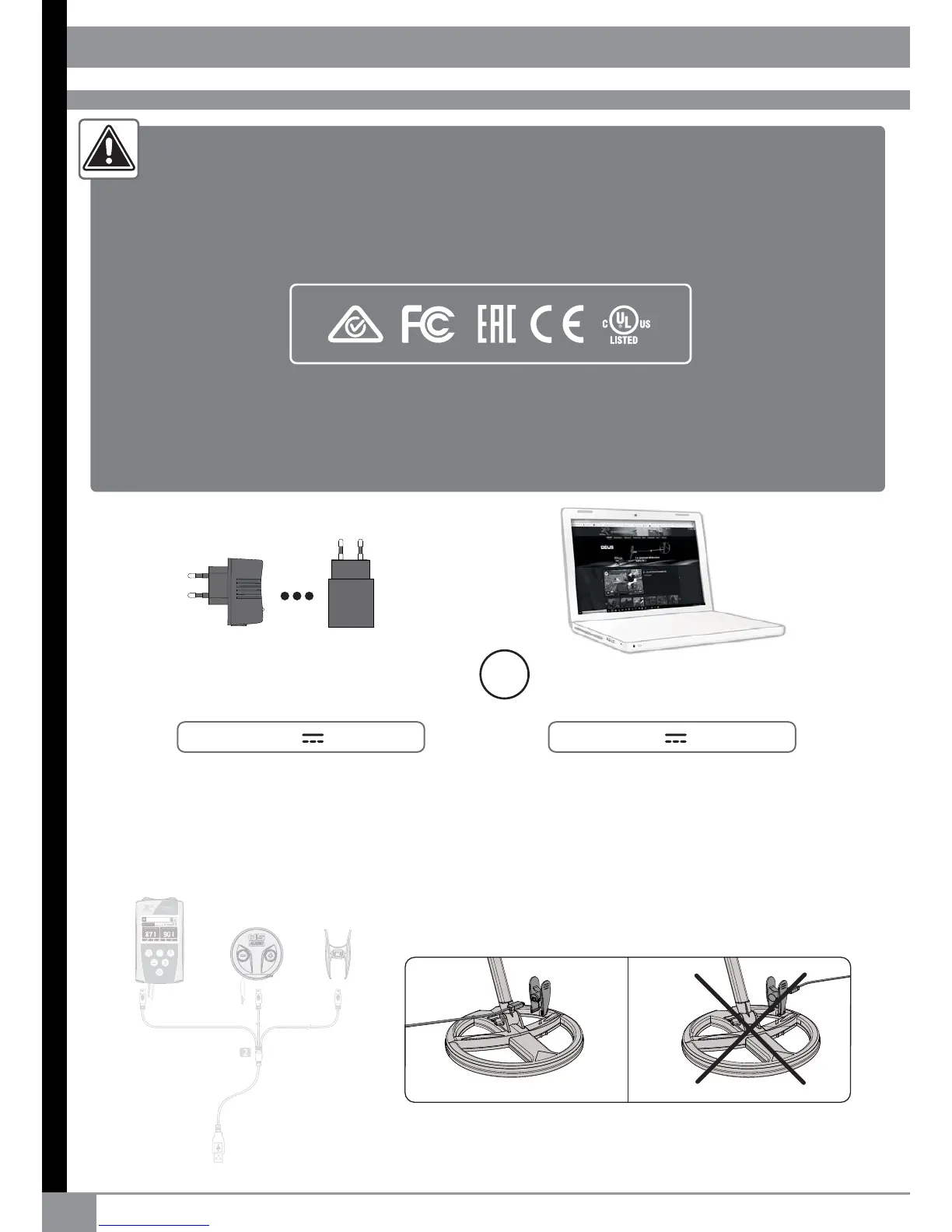
USB Charger
(not included)
( Apple™, Samsung™, Sony™,Huawei™ ...)
USB port on laptop
Output 5V 0.5A or +
Output 5V 1A or +
RE
OR
Ensure that the clamp is the right way round before connecting it to the coil.
Do not adjust after tting, it can take up to 10 seconds for the led to activate.
POWER SUPPLY-BATTERIES
The ORX can be charged using any standard USB 5V certied charger with a minimum
capacity of 1A and 5V output. 1A 5V USB charger is enough to charge the 3 elements together
(coil/remote/headphone). A computer USB output is also suitable and can charge 1 or 2
elements at a time (eg : coil + remote).
Take care about the quality of the charger and never use unknown or unbranded cheap products.
It is important to check that the charger has the correct symbols of certication :
By purchasing this product, the buyer/user agrees that he/she has read and understood the battery
& charger safety precautions printed in this document, that he/she bares full responsibilities of these
risks, and does not hold XPLORER, or its retailers responsible for any accidents, loss of life, injury to
persons, or property damage that may occur as a result of : Incorrect use of the battery including
charging with a non-approved or non-certied charger.
USB CHARGER (not included)


 To Next Page