English
37
1
2
3
Major Function
RC Button 동작설명
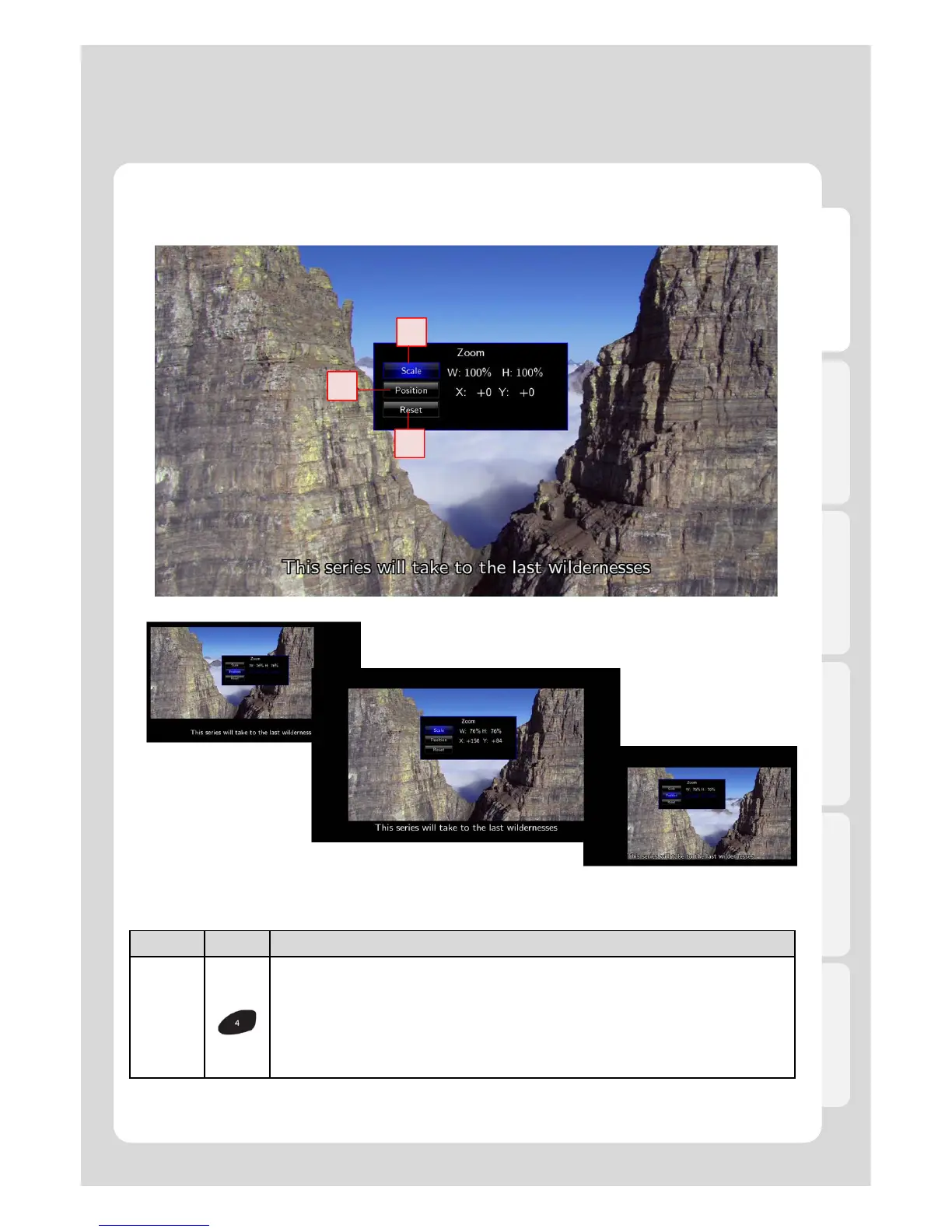
ZOOM
It modifies Scale, position, and Reset.
1. Scale– Left (or Right) keys you enable to adjust vertical lines, and Up (or Down)
keys support adjusting horizontal lines after pressing [ENTER] button.
2. Position – The Arrow Keys support adjusting position of movie screen after
pressing [ENTER] button.
3. Reset – Reset to Default.
※ “Zoom- in” and “Landscape View” functions are solely supported for “Photos” mode.
1-1. Movie Playback Function of Media Library
Usage of Remote Control key functions during playback
Adjusting and viewing hidden TV screen are enabled so that you can enjoy watching the movies by visibility
output.



 To Next Page