English
47
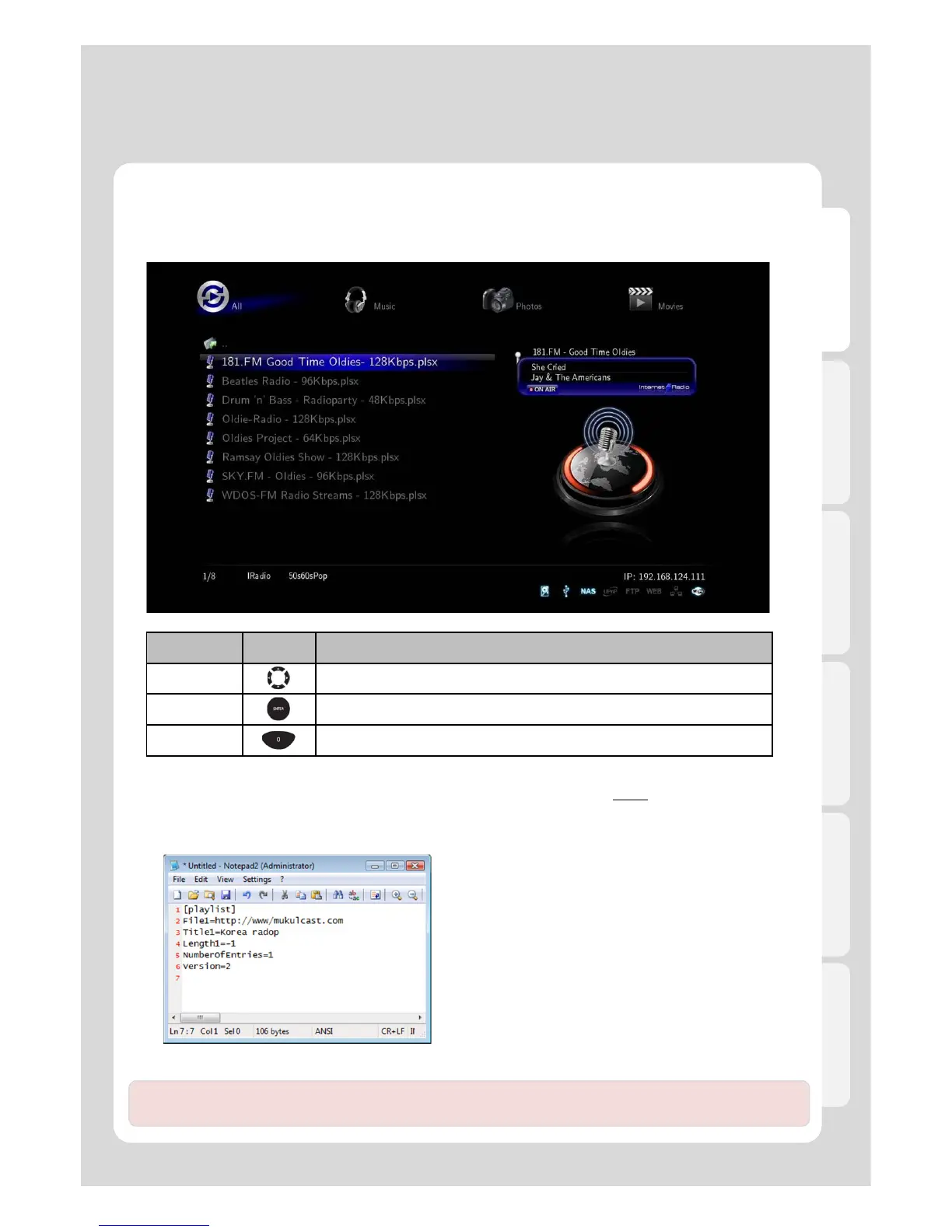
● Usage of “Internet Radio” function
Major Function
RC Button Description
Navigation It moves the cursor.
ENTER It checks and plays.
Preview It switches to “Preview” mode or “List” mode.
4. Internet Radio
● Usage of “Internet Radio” function
● How to use “Internet Radio”
If you want to listen to the radio by registering in Xtreamer, you will need to use “Http://” address type and [.plsx]
extension.
● How to create [.plsx] extension file when you already know the radio address
1. Open [Note Pad].
2. Type it (refer to the next example).
File = http://“Internet Radio Address”
Title1 = “Title”
3. Type Internet Radio Address into File1=“”, and type
title into Title1=“”.
※ “http://” type is solely supported; however, [MMS] type
isn’t currently supported.
[example 1]
Note. Members of our community constantly publish new Internet stations lists. For more information please
visit our official forum – forum.xtreamer.net



 To Next Page