English
46
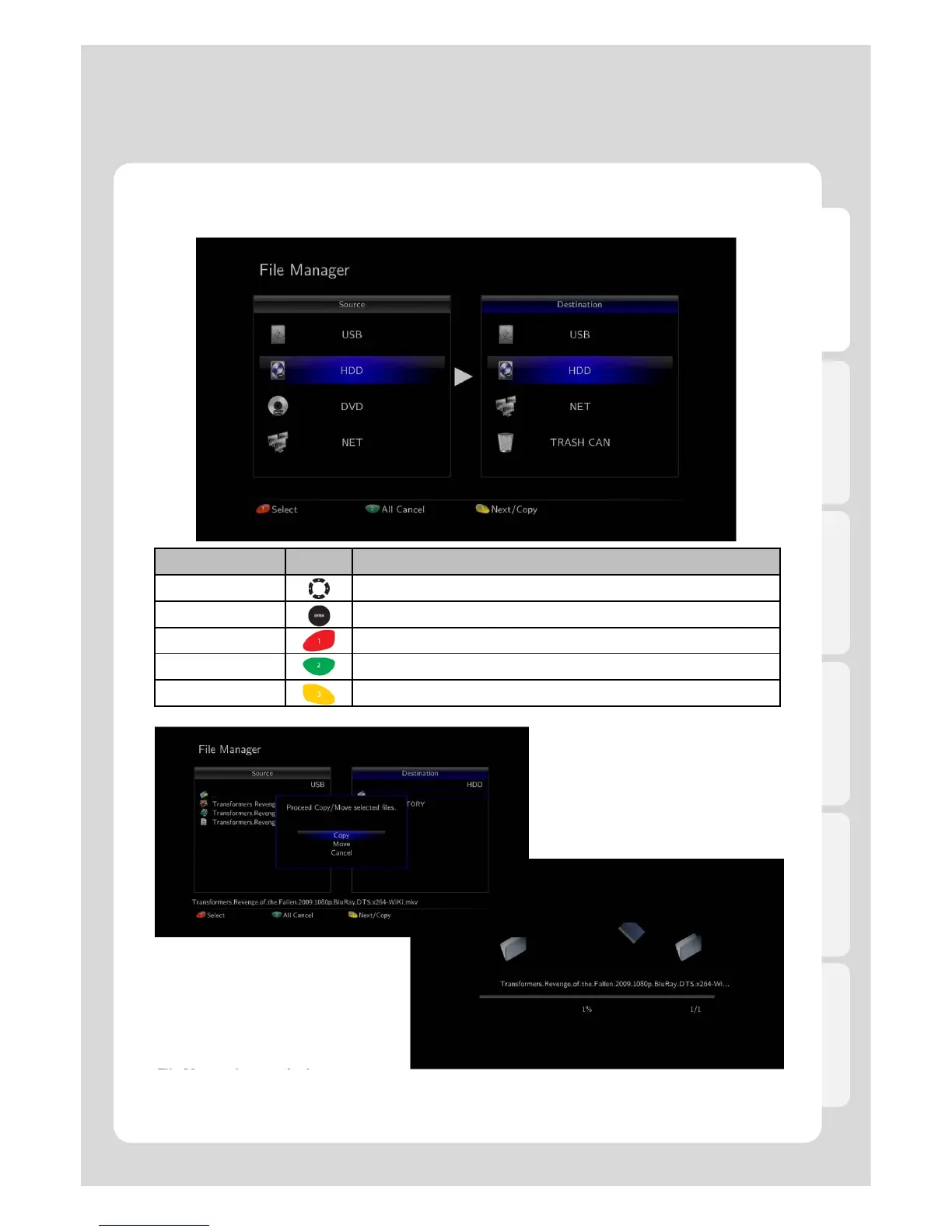
3. File Manager
RC Button Description
Navigation Keys It provides moving cursor up, down, right, left.
ENTER It confirms if files are selected or not.
Red Button[1] It provides adding and selecting folders and files.
Green Button[2] It provides cancelling all selected files and folders.
Yellow Button[3] It provides going to next step or copying.
The Usage of “File Manager” function
File Manger for practical use
Xtreamer has a built in file manager that allows you to easily copy files to and from any USB attached drive;
Digital Camera, MP3 Player, and Mobile Phone, to Xtreamer internal HDD without being necessary to use
PC to accomplish that. You will even be able to back up simply by your remote control.
Major Function



 To Next Page