English
64
2. Usage of NAS (Network Attached Storage)
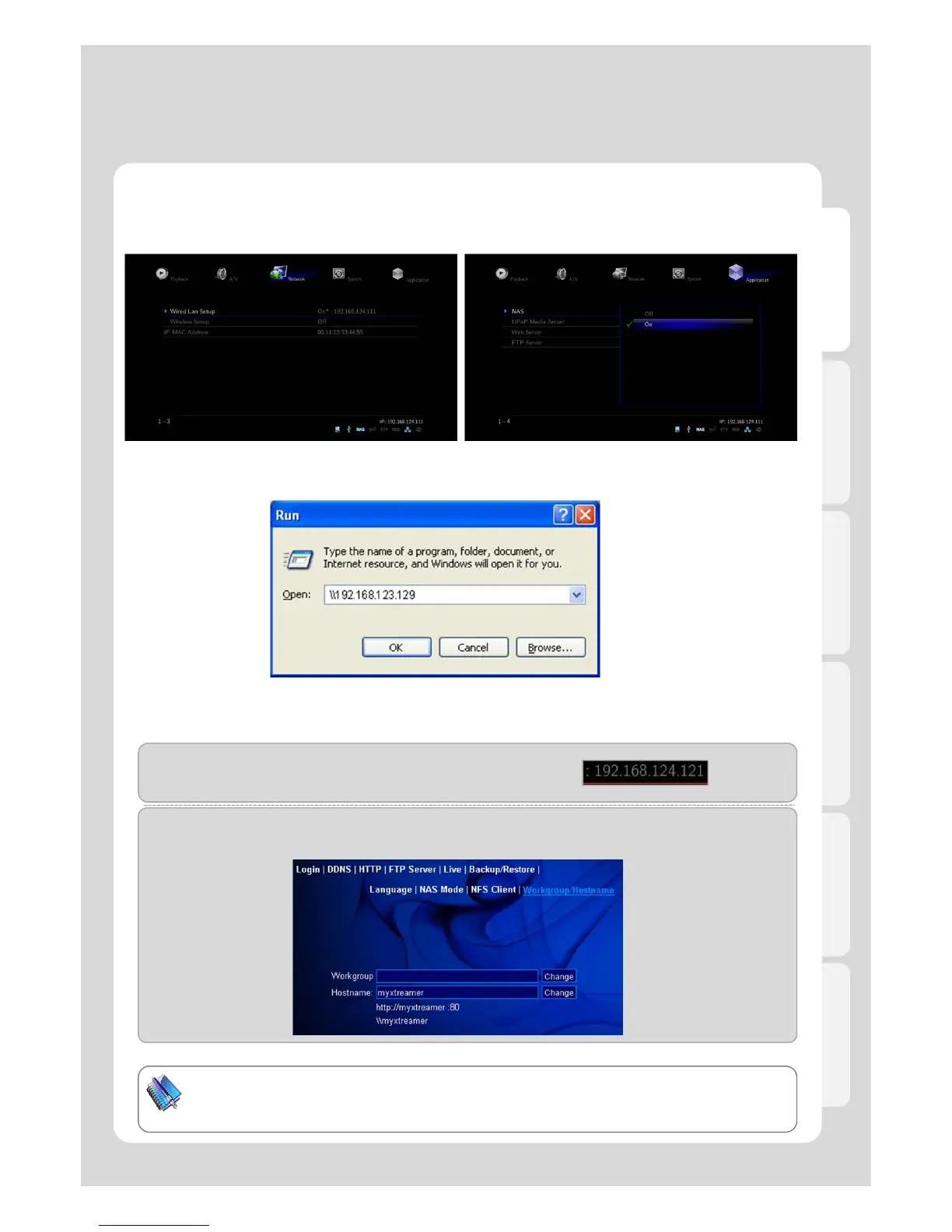
1. Check if IP address is correctly allocated or not
from Router.
3. for Windows users, click [Start] - [Run] – [Example] (refer to the above image).
2. Press [Application] – [NAS] - [ON].
If you want to use Network Drive, your network should be connected with the same PC.
TIP
You will be able to connect network drive easily if changing [mystreamer], which is a default
value in Web Server Hostname, into simple name.
(Example-1)
Type [\\192.168.124.121] if you know the allocated IP address of product.
(Example-2)
Type [\\myxteamer] (refer to the below image) if you already set DHCP IP in Router which is changed each
time.
Advanced Users Guide



 To Next Page