Heat / Cooling meter integrator PolluTherm
Installation and operational instructions
M H 6111 INT PolluTherm, page 8
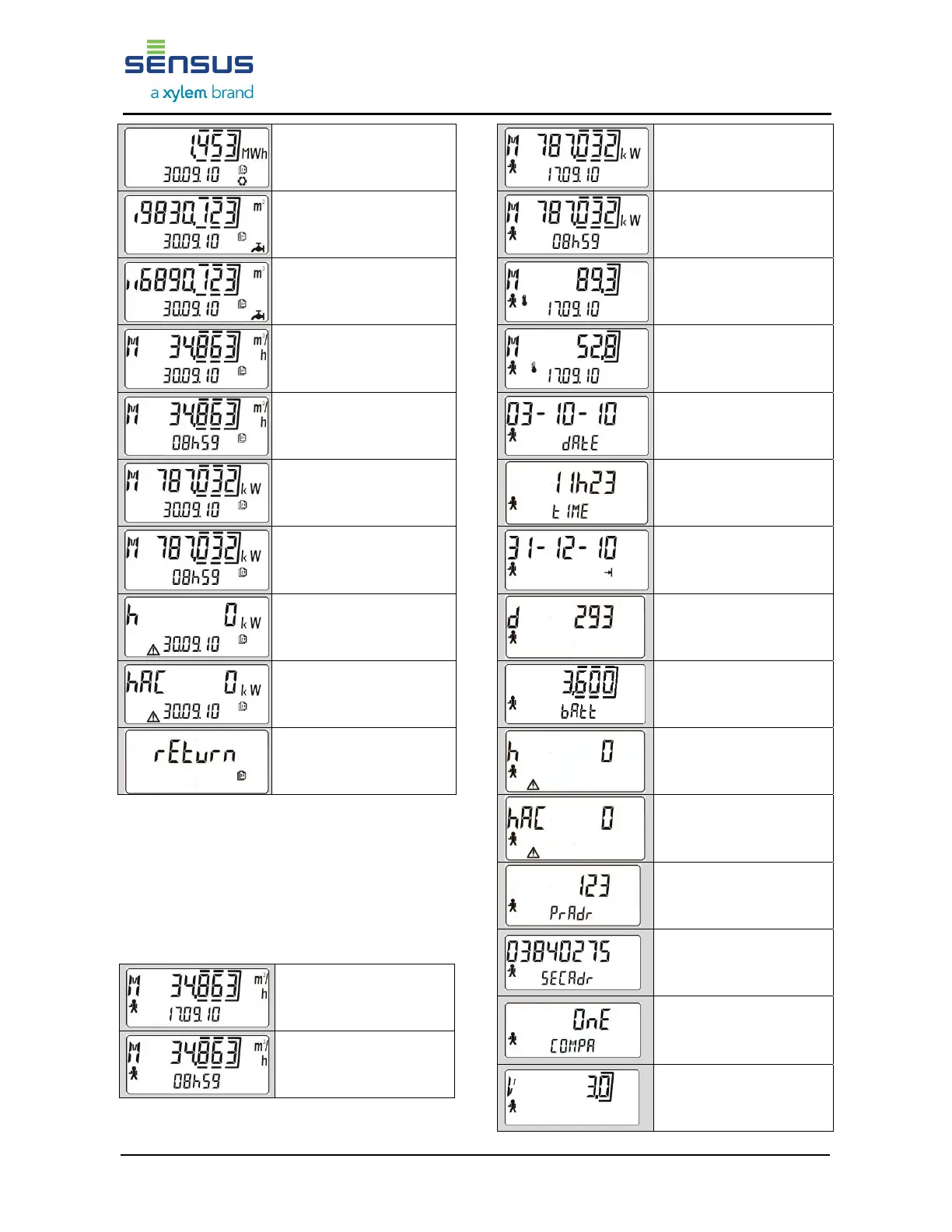
Tariff consumption cold
(if activated) *
Consumption first external
meter *
Consumption second
external meter *
Maximum flow rate in
selected month incl. date
(average)
Maximum flow rate in
selected month incl. time
(average)
Maximum power in
selected month incl.date
(average)
Maximum power in
selected month with time
(average)
Failure hours
Hours of power failure
(only relevant for mains-
operated instruments) *
Return to month selection
(push for 2 seconds)
In order to exit the archive menu double click
when the display shows a month selectionor wait
for five minutes.
8.4. Service menu (example)
Each display item is marked with a man symbol.
The service menu shows maximum values and
meter settings.
Absolute maximum flow
rate incl. date
(average)
Absolute maximum flow
rate incl. time
(average)
Absolute maximum
power incl. date
(average)
Absolute maximum
power incl. time
(average)
Absolute maximum
temperature in warmer
line incl. date
Absolute maximum
temperature in colder line
incl. date
Current date
Current time *
Next target day
Operation days
Battery voltage
(calculated) *
Accumulated failure hours
Hours of power failure
(only relevant for mains-
operated instruments) *
Primary M-Bus address
(factory setting: 0)
Secondary M-Bus
address (factory setting:
serial number)
Data communication
mode (length and
structure of
M-Bus protocol)
Firmware version











 To Next Page