16
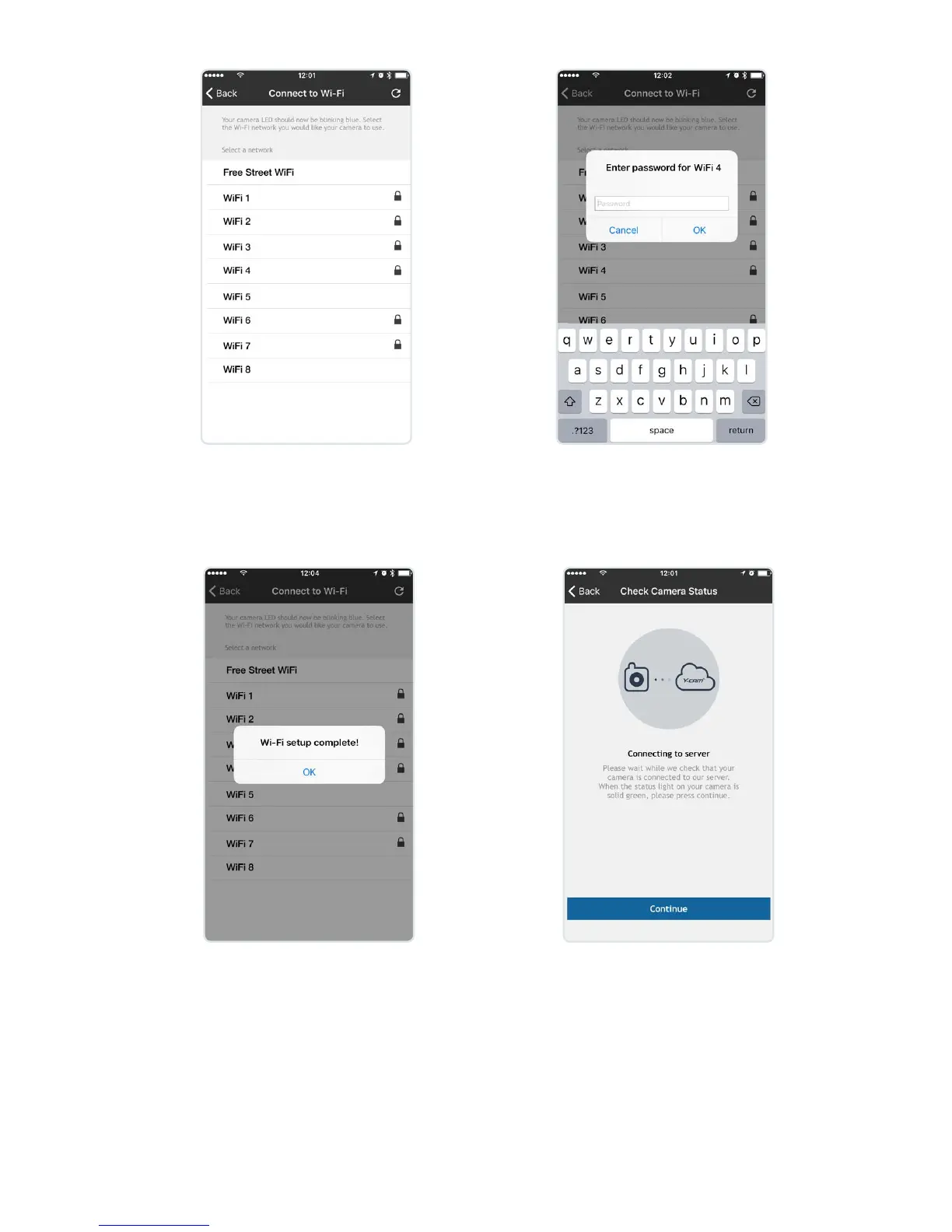
Select the Wi-Fi network you
would like the camera to use.
Enter your Wi-Fi network password.
The camera will now connect to your
Wi-Fi. This may take a few minutes.
Once connected you will see the
message “Wi-Fi set up complete!”.
Select OK. Status LED will now be
solid blue.
Your camera will then connect
to Y-cam service. When
connected the Status LED will
turn solid green then press
continue.


 To Next Page