17
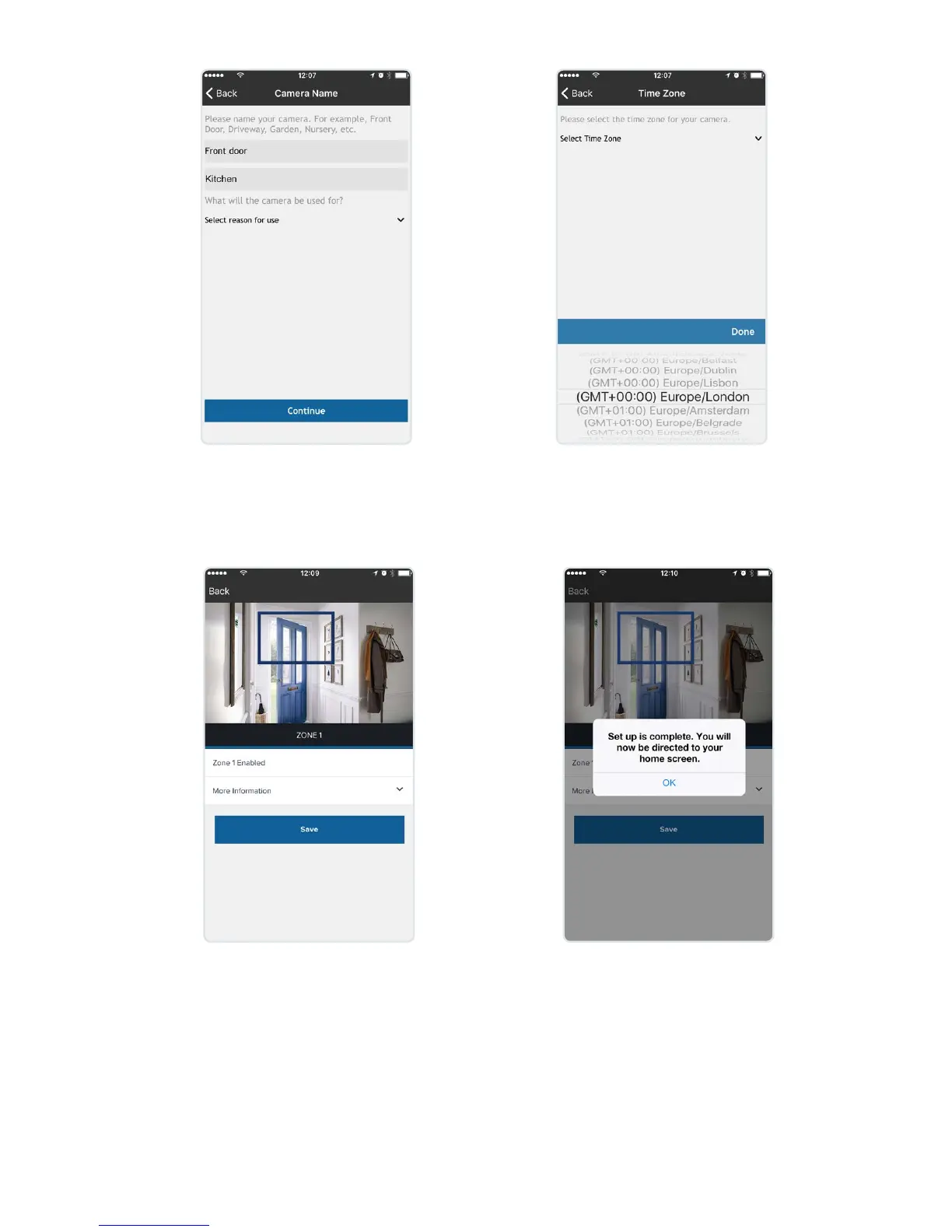
Name your camera and select
what the camera will be used
for. Then press continue.
Select the required time zone and
select continue.
Set up your motion zone. Position
the camera as required to capture the
area you wish to monitor. Use pivot
‘A’ and ‘B’ on the stand to position
your camera.
Press save to keep your
changes, you will receive a
message conrming your
zones are saved. You will
now be taken to your ‘Home
screen’.


 To Next Page