22
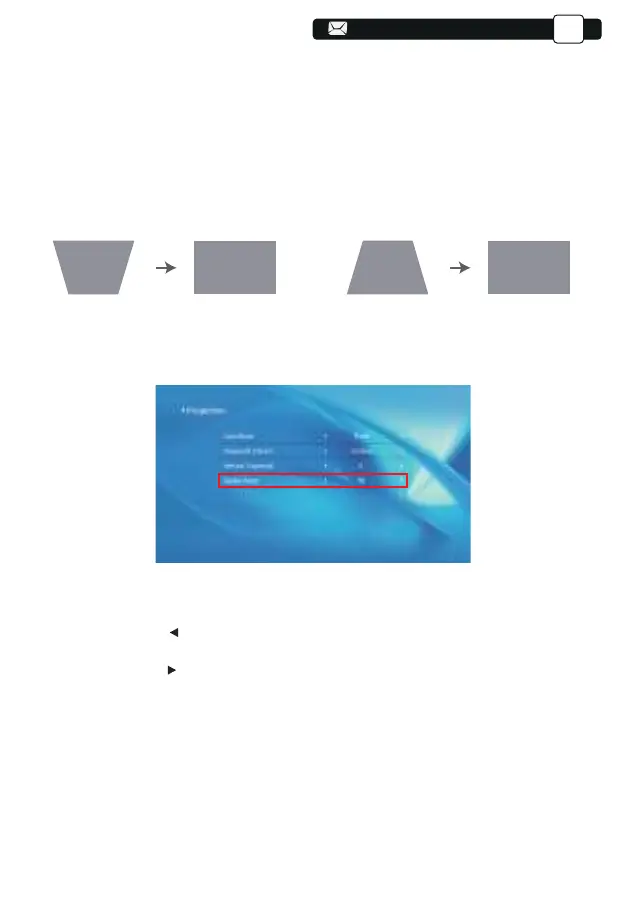
Step 1: Press the button to select the [Vertical] menu, then press the [ OK ]
bottom to enter the submenu.
Step 2: If the projection image shows as (1), press the [Vertical trapezoid] on
the remote or projector to increase the vertical parameter (-50~0), until to
achieve the projection image (2).
Step 3: If the projection image shows as (3), then press the [Vertical
trapezoid] the remote or projector, and decrease the vertical parameter
(0~50), until to achieve the projection image (4)
Step 1: Press the button to select the [Digital Zoom] menu, then
press the [OK] bottom to enter the submenu.
Step 2: Click the " ", TURN the Scaling function,you can reduce the height
and width of projection size up to 50% in the same proportion.
Step 3:Click the " ", OFF the Scaling, you can reduce the horiziontal ZOOM
and Vertical zoom of projection size up to 50% apartly.
3)Digital zoom: 50% ~100%
(3) (4)(1) (2)
Support@yabertech.com
EN



 To Next Page