Need help?
Do you have a question about the Yaesu C4FM and is the answer not in the manual?
Explains the IMRS, linked repeaters, audio link, and informative beeps indicating connection status.
Details the specific TX DG-ID values needed to connect to Florence, Coos Bay, Sherwood, or all linkable repeaters.
Provides step-by-step instructions for configuring the TX DG-ID on the Yaesu FT3DR for IMRS operation.
Provides step-by-step instructions for configuring the TX DG-ID on the Yaesu FT2DR for IMRS operation.
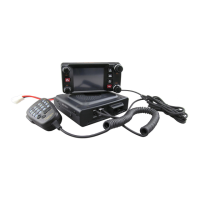
Provides step-by-step instructions for configuring the TX DG-ID on the Yaesu FTM-400 for IMRS operation.
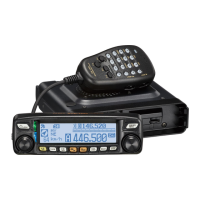
Provides step-by-step instructions for configuring the TX DG-ID on the Yaesu FTM100D for IMRS operation.
Details on using the Glenada Hill repeater for WIRES-X traffic and its interaction with local traffic.
Provides step-by-step instructions for configuring the WIRES-X DG-ID to 70 on the Yaesu FT3DR radio.
Provides step-by-step instructions for configuring the WIRES-X DG-ID to 70 on the Yaesu FT2DR radio.
Provides step-by-step instructions for configuring the WIRES-X DG-ID to 70 on the Yaesu FTM-400 radio.
Provides step-by-step instructions for configuring the WIRES-X DG-ID to 70 on the Yaesu FTM100D radio.
This document provides a comprehensive guide to the Glenada Hill Yaesu C4FM UHF Repeater, detailing its features, settings, and operation within an Internet-Linked Multi-Site Repeater System (IMRS) and for WIRES-X functionality. The manual covers configuration procedures for several Yaesu transceivers, including the FT3DR, FT2DR, FTM-400, and FTM100D.
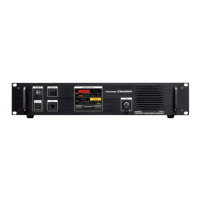
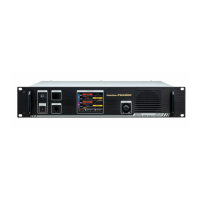
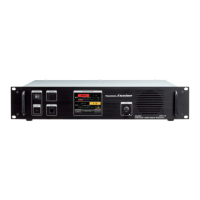
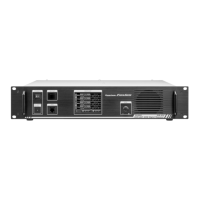
The Glenada Hill Yaesu C4FM UHF Repeater serves as a central hub for digital C4FM communications, enabling local users to connect with other amateur radio operators over a wider area. Its primary function is to receive digital C4FM signals and retransmit them, extending the range of handheld and mobile transceivers. The repeater is integrated into an IMRS, allowing it to link with other repeaters via the internet, specifically with a repeater in Coos Bay (K7REA on 147.320 MHz) and a third repeater (Sherwood) currently in a testing phase at 440.275 +5MHz. This internet linking capability facilitates communication between C4FM users in different geographical locations, such as Florence and Coos Bay. The link, once established by a digital transmission, remains open for 30 seconds after the last digital transmission.
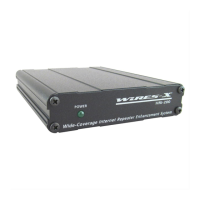
Beyond IMRS, the repeater also supports WIRES-X, Yaesu's internet linking system, which allows users to connect to various WIRES-X rooms and nodes worldwide. This dual functionality provides operators with flexible communication options, either through the IMRS for regional links or WIRES-X for broader global connections.
Users can select different linking configurations by setting their transceiver's TX DG-ID:
The system provides auditory feedback through "beeps" to indicate connection status:
To access WIRES-X through the Glenada Hill repeater, users must set their Wires-X DG-ID to 70. This setting is distinct from the GM DG-ID used for IMRS. Once the Wires-X DG-ID is set to 70, users can engage WIRES-X by pressing the red "X" button on their radio. The duration of the button press varies by model (quick press for FT2DR/FT3DR, ~2-second hold for FTM-400).
When WIRES-X is active, any digital C4FM radio in WIRES-X mode on the correct frequency can transmit and participate in the WIRES-X conversation. Radios not in WIRES-X mode will hear both WIRES-X and local repeater traffic, but their transmissions will only be heard on the local repeater, not via the WIRES-X internet link.
The manual provides detailed, step-by-step instructions with accompanying images for setting TX DG-ID (for IMRS) and Wires-X DG-ID (for WIRES-X) on the following Yaesu transceivers:
These instructions typically involve:
A crucial maintenance reminder for IMRS is to return the transceiver's TX DG-ID back to 00 once the user is finished with the linked operation. This ensures that the repeater defaults to local operation and does not unnecessarily maintain an internet link.
The Wires-X DG-ID setting of 70 can be left configured as a "set it and forget it" step when primarily using the local Glenada Hill Wires-X node. However, if an operator travels and uses other Wires-X nodes, they will likely need to return this setting to "Auto" to ensure compatibility with different node configurations. This highlights the importance of understanding local vs. global settings for optimal operation.
The document emphasizes the importance of not allowing IMRS traffic on the Wires-X network, indicating a design choice to separate these two linking systems for efficient operation and to prevent unintended cross-network communications. This separation is managed through distinct DG-ID settings and activation methods.

 To Next Page
 General